

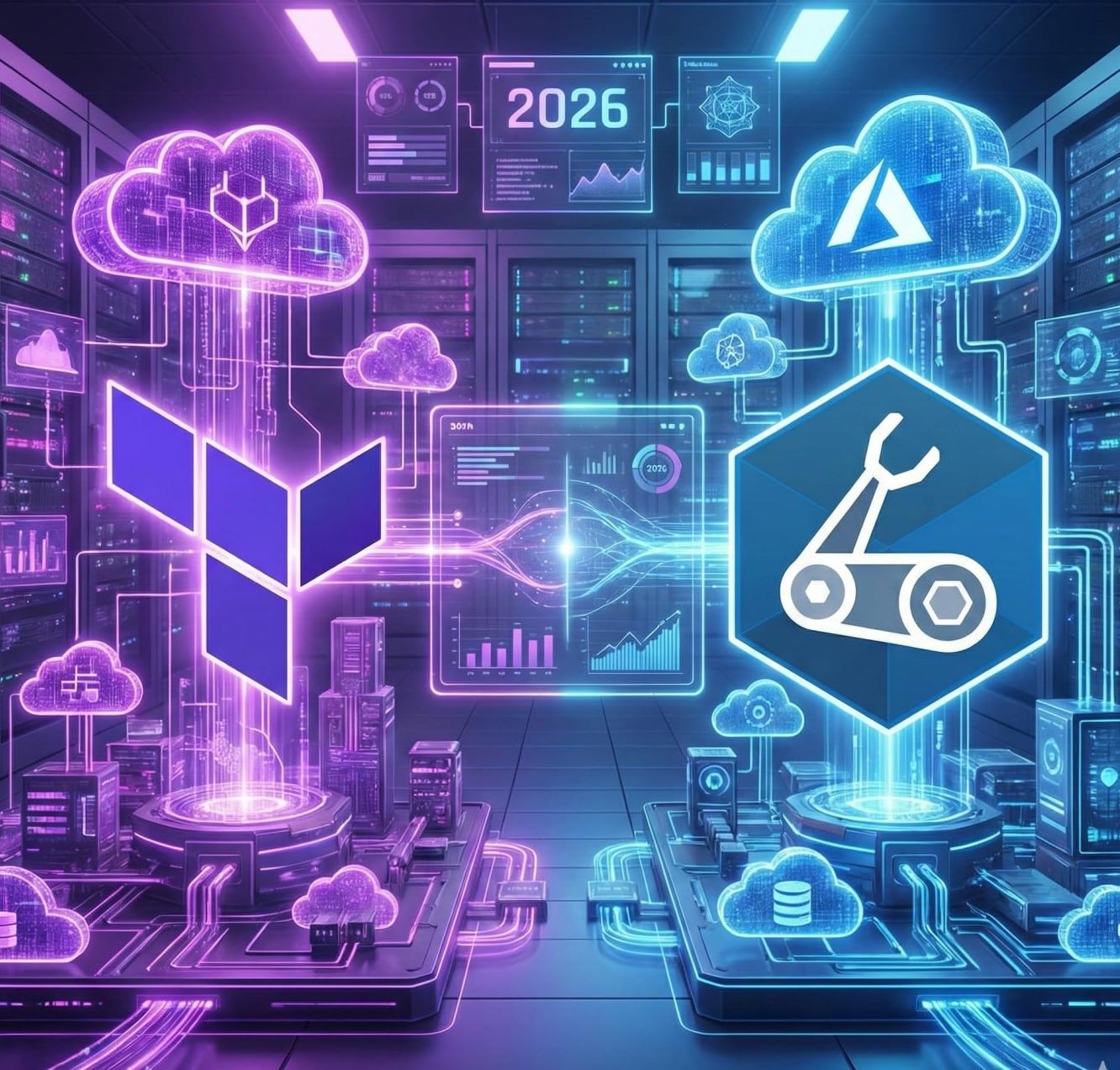

Let’s be real for a minute. If you are still clicking buttons in the Azure Portal to build servers in 2026, you are doing it the hard way. It is like trying to build a skyscraper with a plastic shovel. It works, but it is slow, messy, and frankly, a little bit embarrassing.
Whatever you are a university student, a IT pro, or just a cloud enthusiast watching the tech trends, you know that Infrastructure as Code (IaC) is the new standard. It is the magic that turns lines of text into powerful cloud environments. But here is the debate that is tearing engineering teams apart: Terraform vs Bicep.
I have been working as an Azure Infra Solution Architect for the past few years. I have seen the good, the bad, and the absolute nightmares of cloud deployments. I have stayed up late fixing broken state files, and I have marveled at the speed of native Azure deployments.
Today, I am not just giving you a list of features. I am taking you deep into the Azure IaC comparison arena. We are going to look at Terraform vs Bicep 2026, exploring the nitty-gritty details of state management, security, enterprise governance, and developer experience.
Grab your coffee. Let’s settle this once and for all.
The Origin Story: Who Are The Contenders?
To understand the terraform vs bicep battle, you have to know where they came from.
Terraform: The Universal Traveler

Terraform, Created by HashiCorp, is the rockstar of the DevOps world. Think of it as the "Universal Remote" for the cloud. It is cloud-agnostic, which means it speaks everyone's language. whether you are deploying to Azure, AWS, Google Cloud, or even on-premise VMware, Terraform handles it all using a language called HCL (HashiCorp Configuration Language). It is mature, widely adopted, and has a massive community behind it.
Azure Bicep: The Native Son

Azure Bicep is Microsoft’s modern answer to infrastructure code. For years, Azure engineers struggled with ARM Templates—giant, ugly JSON files that were hard to read and easy to break. Microsoft saw the pain and built Bicep. It is a "Domain-Specific Language" (DSL), which is a fancy way of saying it is built only for Azure. It is cleaner, shorter, and compiles directly into those complex ARM templates in the background.
Round 1: The "Multi-Cloud" Dilemma
This is the first question I ask any client or student: Can Terraform be used for multi-cloud while Bicep is Azure-specific?.
The answer is a massive yes, and it matters more than you think.
Terraform Edge
You are aiming for a career where you bounce between Google Cloud for data, AWS for web hosting, and Azure for enterprise apps, Terraform is your golden ticket. You learn one syntax (HCL), and you can apply it everywhere. It is perfect for hybrid cloud environments where you need to mix Azure resources with other providers.
Bicep Focus
However, if you are 100% committed to the Microsoft ecosystem—which many large enterprises are—Bicep is incredible. Because it is native to Azure, it has what we call "Day 0 Support." When Microsoft releases a brand-new feature today, Bicep supports it today. Terraform often has to wait for the community or HashiCorp to update the provider, which can take days or weeks.

Round 2: The State File (The Real Technical Divide)
When you only remember one thing from this article, make it this. The biggest technical difference lies in how does state management differ between Terraform and Bicep?.
Terraform's "Diary" (The State File)
Terraform uses a file called terraform.tfstate. Think of this as a diary or a treasure map. When you run Terraform, it looks at this file to remember what it built last time.
- Pro: It is fast because it checks the file, not the real cloud API, to plan changes.
- Con: If you lose this file, you are in big trouble. If two people try to edit the infrastructure at the same time and the file gets "locked" or corrupted, it can stop a whole project. You have to manage this file carefully, usually storing it in a secure remote location.
Bicep's "Live" Approach
Bicep does not use a state file. This is a game-changer for simplicity. When you run Bicep, it talks directly to Azure Resource Manager (ARM). It asks Azure, "Hey, what is the current status of this server?" and then applies your changes.
- Pro: No file to manage, no file to lose, and no "state drift" caused by a corrupted file.
- Con: For absolutely massive environments (thousands of resources), it might be slightly slower because it has to query Azure every time, but in 2026, the performance difference is negligible.
Round 3: Governance, Security, and The Enterprise

When we talk about terraform vs bicep for enterprise, we are talking about control. Big companies care about security and compliance.
Security and Policy
Both tools are excellent, but they handle things differently.
- Terraform: Uses a feature called "Sentinel" (Free version having with limited feature. In their paid enterprise version) to enforce policy. You can write rules like "No one is allowed to create a Virtual Machine without a firewall." It is powerful but costs extra money.
Terraform Sentinel is a policy as code framework by HashiCorp, designed to enforce governance and compliance policies within Terraform workflows. It functions as a guardrail, evaluating Terraform plans against predefined policies before infrastructure changes are applied
- Bicep: Integrates natively with Azure Policy. You can write policies in Bicep to control your environment. Since Azure Policy is built into the platform, Bicep feels very natural here. If you are looking at terraform vs bicep security, Bicep often feels more "aligned" with the Azure way of doing things.
Governance and Drift Detection
Now is where Terraform shines. Because of that state file we discussed, Terraform is amazing at drift detection. If someone manually logs into the portal and changes a setting, Terraform will shout, "Hey! This doesn't match my plan!" and try to fix it. Bicep is getting better at this, but Terraform is still the king of strict governance.
Round 4: The Developer Experience and Learning Curve

So how steep is the learning curve for Terraform and Bicep?. This is crucial for beginners.
Coding in Bicep
Bicep was designed to be easy. If you have ever written a JSON file or simple JavaScript, Bicep will look friendly. It has less "noise." You don't need to write as many lines of code to get the job done. The extension for VS Code (Visual Studio Code) is fantastic—it gives you auto-completion and helps you write code fast.
Coding in Terraform
HCL (Terraform's language) is not hard, but it is unique. You have to learn about "providers," "modules," and "resources" in a specific way. It feels more like learning a strict programming language. However, the documentation is world-class. If you get stuck, a million other people have had the same problem, so the answers are easy to find on Google.
Deep Dive: Performance and CI/CD Pipelines

Instead 2025 in 2026, you aren't deploying from your laptop. You are using pipelines. So, how do Terraform and Bicep integrate with Azure DevOps CI/CD pipelines?.
Terraform in Pipelines
Setting up Terraform in a pipeline (like Azure DevOps or GitHub Actions) takes a few steps.
- Install: You have to install Terraform on the build agent.
- Auth: You need to set up credentials securely.
- Init/Plan/Apply: You run specific commands to check the state file and apply changes. It is robust, but setting up that remote state management in a pipeline can be tricky for a beginner.
Bicep in Pipelines
Bicep is a dream for pipelines. Since it is a Microsoft tool, the "Azure CLI" task already knows what Bicep is. You often just run a command like az deployment group create --resource-group <resource-group-name> --template-file <path-to-bicep-file> --parameters <parameters>, point it at your Bicep file, and you are done. It requires less "glue" to make it work in a Microsoft environment.
Terraform vs Bicep Performance:
Technically, Bicep compiles to ARM templates, which are native to Azure. This can sometimes mean faster deployments for complex networking or nested resources because there is no translation layer happening outside of Azure.
The Migration Story: Moving from Legacy to Modern

A lot of you ask me about terraform vs bicep migration. What if you already have old ARM templates?
- Bicep Decompile: This is a killer feature. Bicep has a command that takes an ugly, old ARM template and automatically converts it into clean Bicep code. It is like a magic translator. It makes migrating old projects to Bicep incredibly easy.
- Terraform Import: Terraform can "import" existing resources into its state file, but it is a manual and sometimes painful process. You have to tell Terraform about every single resource you already built.
Comparison Table: The 2025 Snapshot
For help you decide, I have created this detailed data table based on the Azure IaC comparison keywords.
| Feature | Terraform | Azure Bicep |
| Provider | HashiCorp | Microsoft |
| Cloud Strategy | Multi-Cloud & Hybrid | Azure Only |
| State Management | State File (Complex/Powerful) | No State File (Native/Simple) |
| Learning Curve | Moderate | Low / Easy |
| Community | Massive, Global, Open Source | Growing, Microsoft-Focused |
| Feature Support | Fast (Community Dependent) | Day 0 (Instant) |
| Drift Detection | Excellent (Native) | Limited (Improving) |
| Syntax Style | Declarative (HCL) | Declarative (DSL) |
| Cost | Free (Open Source) / Paid (Enterprise) | Free (Open Source) |
Frequently Asked Questions (FAQs)
I want to answer the specific questions you are searching for. These are the top queries regarding terraform vs bicep.
1. What is the difference between Terraform and Azure Bicep?
Main difference is scope and state. Terraform is for any cloud and uses a state file. Bicep is just for Azure and talks directly to the platform without a state file.
2. Which is better for Azure IaC, Terraform or Bicep in end of 2025?
If you are an Azure-only shop, Bicep is "better" because it is simpler and native. If you are a multi-cloud enterprise, Terraform is "better" for consistency.
3. Does Bicep compile to ARM templates?
Yes. When you deploy Bicep, it turns into standard ARM JSON templates in the background. You get the power of ARM without the headache.
4. What's are the pros and cons of using Terraform vs Bicep for Azure deployments?
- Terraform Pros: Multi-cloud, strong governance, huge module library.
- Terraform Cons: Managing state files is risky; slightly harder to learn.
- Bicep Pros: No state file, easy syntax, Day 0 Azure support.
- Bicep Cons: Only works on Azure; smaller community module library compared to Terraform.
5. How do Terraform and Bicep integrate with Azure DevOps CI/CD pipelines?
Both integrate well, but Bicep is slightly easier to set up because it uses standard Azure CLI commands. Terraform requires managing remote state storage within the pipeline.
6. Are there enterprise governance or security differences between Terraform and Bicep?
Terraform Enterprise offers strict policy enforcement (Sentinel). Bicep relies on Azure Policy. Both are secure, but Terraform offers more granular control over the deployment process itself via the state file.
7. Is Bicep ready for production in 2026?
Absolutely. It is fully supported by Microsoft and is the recommended way to interact with Azure infrastructure if you aren't using Terraform.
Real-World Case Studies: When to Choose What
Let’s apply this to real life. Here are three scenarios I see all the time.
Scenario A: The Agile Startup
- Vibe: You are a small team of 5 developers. You only use Azure. You need to move fast.
- Choice: Use Bicep.
- Why: You don't have time to manage Terraform state files. You just want to write code and deploy. Bicep’s learning curve is short, so your app developers can pick it up in an afternoon.
Scenario B: The Global Corporation
- Vibe: You are a massive bank. You use AWS for analytics and Azure for core apps. You have a dedicated "Platform Engineering" team.
- Choice: Use Terraform.
- Why: You need one tool to rule them all. You can build "Modules" in Terraform that work across different clouds. You need strict compliance and drift detection, which Terraform excels at.
Scenario C: The "Kubernetes" Fan
- Vibe: You are deploying heavy Azure Kubernetes Service (AKS) clusters.
- Choice: It's a Tie (but Terraform leans ahead).
- Why: While Bicep is great for creating the AKS cluster itself, Terraform has a "Kubernetes Provider." This means Terraform can create the cluster and deploy your apps inside it using the same code. Bicep stops at the infrastructure layer.
Future Outlook: What Does 2026 Look Like?

As we look at the terraform vs bicep roadmap, things are converging.
- Terraform is becoming more user-friendly with better cloud integrations.
- Bicep is adding more "deployment stack" features to mimic the state-file benefits (like lifecycle management) without the complexity.
Now trend is clear: Abstraction. Both tools are trying to make cloud infrastructure invisible. They want you to focus on your application, not the servers.
Also, we are seeing a rise in AI-assisted coding. Tools like GitHub Copilot write Bicep and Terraform code incredibly well. This lowers the barrier to entry for both. You don't need to memorize syntax anymore; you just need to understand the architecture.
Conclusion: Your Next Step
We have covered a lot of ground. We looked at terraform vs bicep pros and cons, analyzed the learning curve, and dived into security.
Here is the truth: There is no "wrong" choice. Both Terraform and Bicep are world-class tools. The only wrong choice is not using Infrastructure as Code at all.
My Personal Recommendation for You:
- If you are a student or new to cloud: Start with Bicep. It gives you quick wins and helps you understand Azure deeply.
- You are hunting for a job at a big tech company: Learn Terraform. It is the most requested skill on job boards because of its multi-cloud nature.
Call to Action:
Do not just read this article and close the tab. I want you to try it.
- Open Visual Studio Code.
- Install the "Bicep" extension.
- Write a simple file to create a Storage Account.
- Then, try to do the same in Terraform.
Which one felt more natural to you? Drop a comment below or share this post with your thoughts. If you want a full "Zero to Hero" guide on writing your first Bicep module, let me know!
More Tips :
Emerging Azure Skills for 2026
Best Cloud Certifications in 2026
Let’s build something awesome in the cloud.



No comments yet. Be the first to share your thoughts!