


Introduction: Why Your Small Business Needs Azure Cloud Solutions
You're running a small business, and suddenly your website crashes during your biggest sale of the year. Meanwhile, your competitor's site keeps humming along smoothly. What's their secret? They're probably using cloud services like Microsoft Azure.
I've been working as an Azure Solution Architect for the past five years, and I've seen first hand how the right cloud services can transform small businesses from struggling startups into thriving enterprises. Furthermore, Azure isn't just for big corporations anymore – it's become the secret weapon for smart small business owners who want to compete with the giants.
Think about it – you wouldn't run your business from a flip phone, right? Similarly, relying on outdated IT infrastructure in 2025 is like bringing a knife to a gunfight. Therefore, let's explore how Azure can level the playing field for your small business.
Understanding Azure Cloud for Small Business: More Than Just Storage

When most small business owners hear "cloud," they immediately think "storage." However, Azure is like a Swiss Army knife for your business – it's got tools you didn't even know you needed. Moreover, it's designed to grow with you, whether you're a solo entrepreneur or managing a team of fifty.
What Makes Azure Perfect for SMBs?
First and foremost, Azure understands that small businesses aren't miniature versions of large corporations. Consequently, Microsoft has tailored their services specifically for SMB needs. You get enterprise-grade technology without enterprise-level complexity or costs.
Additionally, Azure operates on a pay-as-you-go model. Remember those gym memberships you paid for but never used? Well, with Azure, you only pay for what you actually use. Subsequently, this means no wasted resources and no budget surprises at the end of the month.
Breaking Down the Azure Advantage
Based on my own experience helping dozens of small businesses migrate to Azure, here's what sets it apart:
Flexibility That Fits Your Business Model: Whether you're running an e-commerce store that gets seasonal traffic spikes or a consulting firm with steady workloads, Azure adapts to your needs. Furthermore, you can scale up during busy periods and scale down when things are quiet.
Security Without the Headache: Small businesses are increasingly targeted by cyber attacks because hackers assume they have weaker defenses. However, with Azure, you get the same security infrastructure that protects Fortune 500 companies. Additionally, it's all managed by Microsoft's team of security experts, so you don't need to become a cybersecurity specialist overnight.
My Advice : You also need an Azure Security Consultant or an immediate support person to ensure an urgent and smooth process.
Global Reach from Your Local Office: Want to expand internationally? Azure has data centers worldwide, which means your customers in Tokyo get the same fast experience as those in Toledo. Moreover, you don't need to set up physical servers anywhere – it's all handled through Azure's global network.
Top Azure Services Every Small Business Should Consider

1. Azure Virtual Machines: Your Business Computer in the Cloud
Remember when you had to buy expensive servers that would become obsolete in three years? Those days are gone. Azure Virtual Machines (VMs) are like having a super computer that you can access from anywhere, anytime.
I recently helped a small accounting firm that was spending $8,000 on new servers every few years with including Windows and SQL incense(With Software assurance). After moving to Azure VMs, they're now spending less than $500 per month, and they never have to worry about hardware failures again. Furthermore, their team can now work from anywhere – a huge advantage that became crystal clear during recent global events.
Real-World Application: A graphic design studio I consulting with uses Azure VMs to render complex 3D models. Instead of investing in expensive workstations, they spin up powerful VMs when needed for big projects. Subsequently, they save thousands while delivering professional results.
2. Azure App Service: Launch Your Web Applications Without the Hassle
Building a web application used to require a team of IT professionals. Now, with Azure App Service, you can deploy professional web apps faster than you can say "digital transformation."
Here's what makes it special for small businesses:
- Zero Server Management: You focus on your app; Azure handles everything else
- Automatic Scaling: Your app grows with your success
- Built-in Security: SSL certificates and authentication included
- Multiple Language Support: Whether you prefer .NET, Java, Python, or Node.js
Additionally, Azure App Service integrates seamlessly with popular development tools. Therefore, if you're already using GitHub , Azure DevOps or Visual Studio, you're halfway there.
More Read : Azure App Service
3. Azure Active Directory: Enterprise-Grade Identity Management for SMBs
"Another password to remember!" – said no one ever with excitement. Azure Active Directory (Azure AD) solves this problem while simultaneously making your business more secure.
Think of Azure AD as your business's digital bouncer. It checks IDs at the door, remembers who's allowed where, and keeps the troublemakers out. Moreover, it enables single sign-on, which means your team uses one password to access all their business applications.
Why Small Businesses Love It:
- Employees access everything with one login from any ware
- Multi-factor authentication keeps hackers out
- Works with thousands of popular business apps
- Manages access for remote workers effortlessly
Based on my experience, companies that implement Azure AD see a 30% reduction in IT support tickets related to password resets. Furthermore, the time saved translates directly into productivity gains. Ex: Microsoft Entra self-service password reset.
4. Azure Storage Services: More Than Just a Digital Filing Cabinet
Azure Storage isn't just about storing files – it's about making your data work for you. Subsequently, let me break down the options:
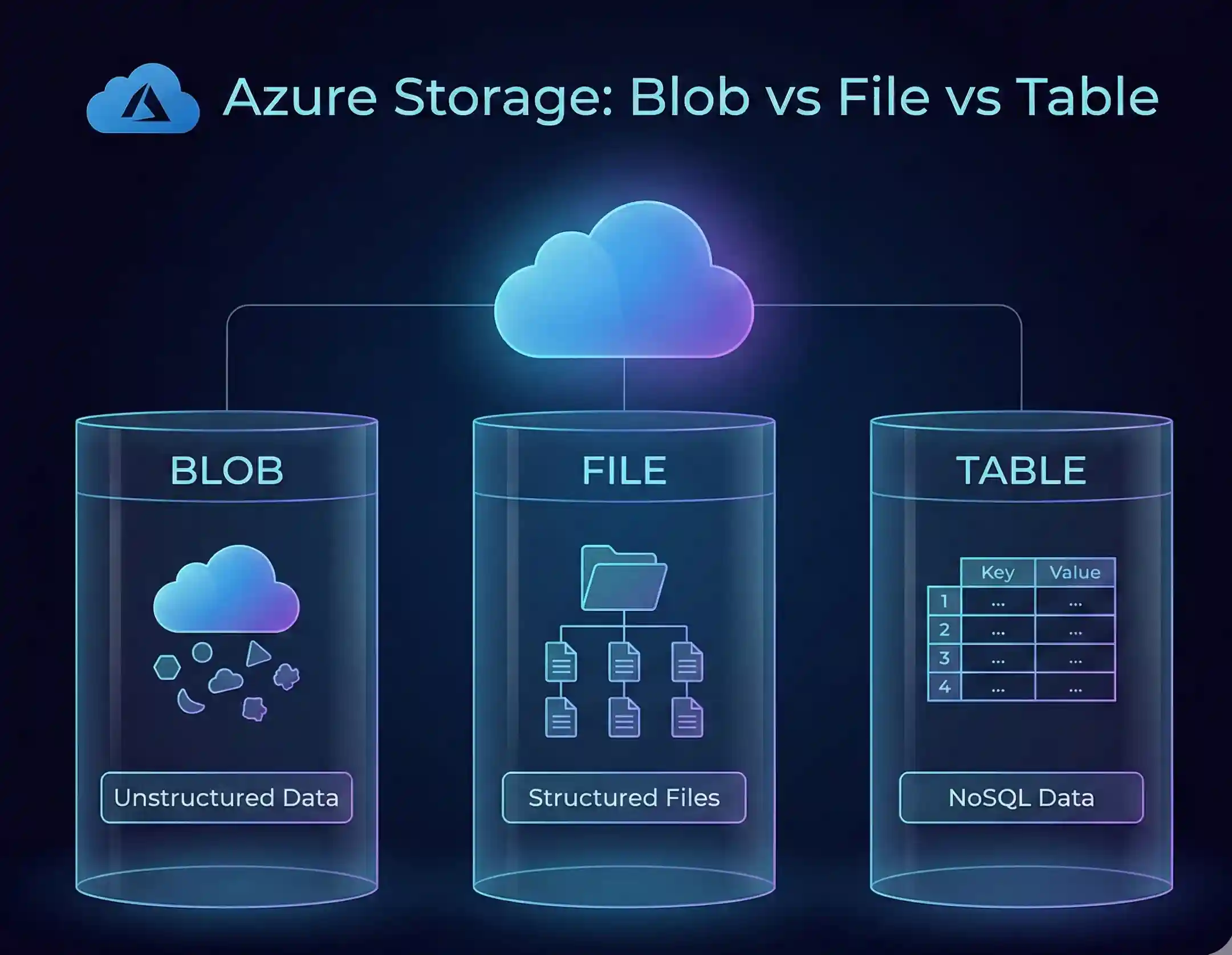
Azure Blob Storage: Perfect for storing massive amounts of unstructured data like images, videos, or backups. A local bakery chain I consulted uses it to store product photos and marketing materials that all their locations can access instantly.
Azure Files: Works just like your regular file server but without the headaches. Moreover, you can mount it as a drive on any computer, making the transition from on-premises storage seamless.
Azure Backup: Because "I thought it was backed up" are the six most expensive words in business. Azure Backup runs automatically, stores multiple versions, and can restore your entire business in minutes if disaster strikes.
More Read : Azure File Share
5. Azure SQL Database: Your Business Data, Managed and Secured
Databases are the heart of modern businesses, but managing them traditionally requires significant expertise. Azure SQL Database changes that equation entirely.
I worked with a small retail chain that was losing sales because their inventory database kept crashing during peak hours. After migrating to Azure SQL Database, they haven't had a single outage in two years. Additionally, the automatic backups and built-in intelligence that optimizes performance have made their operations smoother than ever.
Key Benefits for Small Businesses:
- Automatic updates and patches
- Built-in high availability
- Intelligent performance tuning
- Predictable pricing with no surprise costs
More Read : Azure App Service
Azure Security for Small Business: Enterprise Protection Without the Enterprise Budget

Let's address the Dinosaur in the room – security. Small businesses often think they're too small to be targeted by hackers. However, that's exactly what makes them attractive targets. Fortunately, Azure levels the playing field.
The Multi-Layer Security Approach
Azure doesn't just put a lock on the front door (Not regarding Azure Front Door); it's more like having a security system with motion sensors, cameras, guard dogs, and a direct line to the police. Furthermore, this comprehensive approach includes:
Physical Security: Microsoft's data centers have more security than most banks. We're talking biometric scanners, 24/7 surveillance, and multiple perimeter defenses.
Network Security: Azure automatically filters out malicious traffic before it reaches your applications. Additionally, DDoS protection is included standard, which means your business stays online even during attacks.
Data Encryption: Your data is encrypted both in transit and at rest. Even if someone somehow got access to the physical drives, they'd just see gibberish without the encryption keys.
Identity Protection: Azure AD uses machine learning to detect unusual sign-in patterns. If someone tries to log in from an unusual location, it can block access and alert you immediately.
Compliance Made Simple
Different industries have different compliance requirements. Whether you're dealing with HIPAA for healthcare, PCI DSS for payment processing, or GDPR for European customers, Azure has you covered. Moreover, Microsoft maintains compliance certifications, so you don't have to prove everything from scratch during audits.
Azure Pricing and Cost Management for Small Businesses

Now let's talk money – because that's what really matters to small business owners. The good news? Azure pricing is more flexible than a yoga instructor.
Understanding Azure Pricing Models
Pay-As-You-Go: Like a utility bill – you only pay for what you use. Perfect for businesses with variable workloads or those just starting their cloud journey.
Reserved Instances: Commit to one or three years and save up to 62%. Subsequently, this works great for predictable workloads like your main business applications.
Azure Hybrid Benefit: Already have Windows Server or SQL Server licenses? Bring them to Azure and save up to 80% compared to pay-as-you-go pricing.
Real Cost Optimization Strategies
Through my experience, I've found these strategies save small businesses the most money:
- Start with the Azure Free Tier: Get 12 months of popular services free, plus $200 credit to explore. Additionally, some services like Azure Functions have permanent free tiers perfect for small workloads.
Or after the POC (Proof of Concept), you can request credits from your CSP (Cloud Solution Provider) partner. - Use the Azure Pricing Calculator: Before committing to anything, use the calculator to estimate costs. Moreover, it helps you compare different service options to find the most cost-effective solution.
- Set Up Cost Alerts: Azure can notify you when spending reaches certain thresholds. Therefore, you'll never get surprise bills at month-end.
- Implement Auto-Shutdown: Development and test environments don't need to run 24/7. Configure them to shut down after business hours and save 60% or more.
- Regular Cost Reviews: Azure Advisor provides personalized recommendations to optimize costs. Subsequently, following these recommendations typically saves businesses 10-30% monthly.
Implementing Azure: Your Roadmap to Cloud Success

Making the jump to cloud computing might seem daunting, but with the right approach, it's surprisingly smooth. Here's your step-by-step roadmap based on what's worked for hundreds of small businesses.
Phase 1: Assessment and Planning (Weeks 1-2)
Start by taking inventory of what you currently have. What applications are critical to your business? Which ones cause the most headaches? Furthermore, identify your pain points – are you worried about disaster recovery, scaling, security, or all of the above?
Create a simple spreadsheet listing:
- Current applications and their importance
- Monthly/yearly costs for existing infrastructure
- Main business challenges to solve
- Compliance requirements for your industry
Phase 2: Proof of Concept (Weeks 3-4)
Don't try to migrate everything at once. Instead, pick one non-critical application or process to test. Moreover, this gives you hands-on experience without risking your core business operations.
For example, start by moving your company file storage to Azure Files, or deploy a test version of your website on Azure App Service. Subsequently, you'll gain confidence and identify any potential challenges early.
Phase 3: Migration Strategy (Weeks 5-6)
Based on your proof of concept, develop your migration strategy. The most successful approaches I've seen follow this pattern:
Lift and Shift First: Move applications as-is to Azure VMs. This gets you immediate benefits like better reliability and disaster recovery.
Azure Migrator is Best Option for this.
Optimize Later: Once stable in the cloud, modernize applications to take advantage of platform services like Azure App Service or Azure SQL Database.
Transform Eventually: As you get comfortable, explore advanced services like Azure AI and Machine Learning to gain competitive advantages.
Phase 4: Implementation (Weeks 7-12)
Execute your migration plan in waves. Start with less critical systems, learn from each migration, then move to more important applications. Additionally, maintain your on-premises systems as backup until you're confident in the Azure environment.

Phase 5: Optimization and Growth (Ongoing)
Once migrated, the real benefits begin. Use Azure's monitoring tools to understand usage patterns, optimize costs, and identify new opportunities. Furthermore, explore additional services that can help your business grow.
This phase will continuously running.
Azure Backup and Disaster Recovery: Your Business Continuity Insurance
Let me share a horror story that keeps small business owners awake at night. A local restaurant chain I knew lost three years of financial records when their server crashed and their backup system hadn't been working for months. They survived, but barely.
With Azure Backup and Site Recovery, such nightmares become impossible. Moreover, the peace of mind alone is worth the investment.
Azure Backup: Set It and Forget It
Azure Backup is like having a super-reliable friend who secretly makes copies of everything important in your business. Subsequently, if anything goes wrong, you can restore everything exactly as it was.
What Makes It Special:
- Automatic backups run without intervention
- Multiple restore points (daily, weekly, monthly, yearly)
- Geo-redundant storage protects against regional disasters
- Application-consistent backups ensure data integrity
- Encrypted backups meet compliance requirements
A small law firm I worked with discovered their office had been burglarized on a Monday morning – computers stolen, servers destroyed. By lunch, they were back up and running using Azure Backup. Their clients never even knew there was an issue.
Azure Site Recovery: Your Entire Business in the Cloud

While backup protects your data, Site Recovery protects your entire business operation. It continuously replicates your critical systems to Azure. Therefore, if your primary site goes down, you can failover to Azure in minutes, not days.
Scaling Your Small Business with Azure
Growth is exciting but can be technically challenging. Azure makes scaling feel less like climbing Mount Everest and more like taking an elevator.
Vertical Scaling: Growing Up

Need more power? With traditional servers, you'd need to buy new hardware, schedule downtime, and migrate everything. With Azure, you just move a slider in the portal. Subsequently, your VM goes from 2 cores to 16 cores in minutes.
Horizontal Scaling: Growing Out

During Black Friday, an e-commerce client's traffic increased 10x. Azure automatically spun up additional instances to handle the load, then scaled back down afterward. Furthermore, they only paid for the extra capacity during those peak hours.
Global Scaling: Growing Everywhere
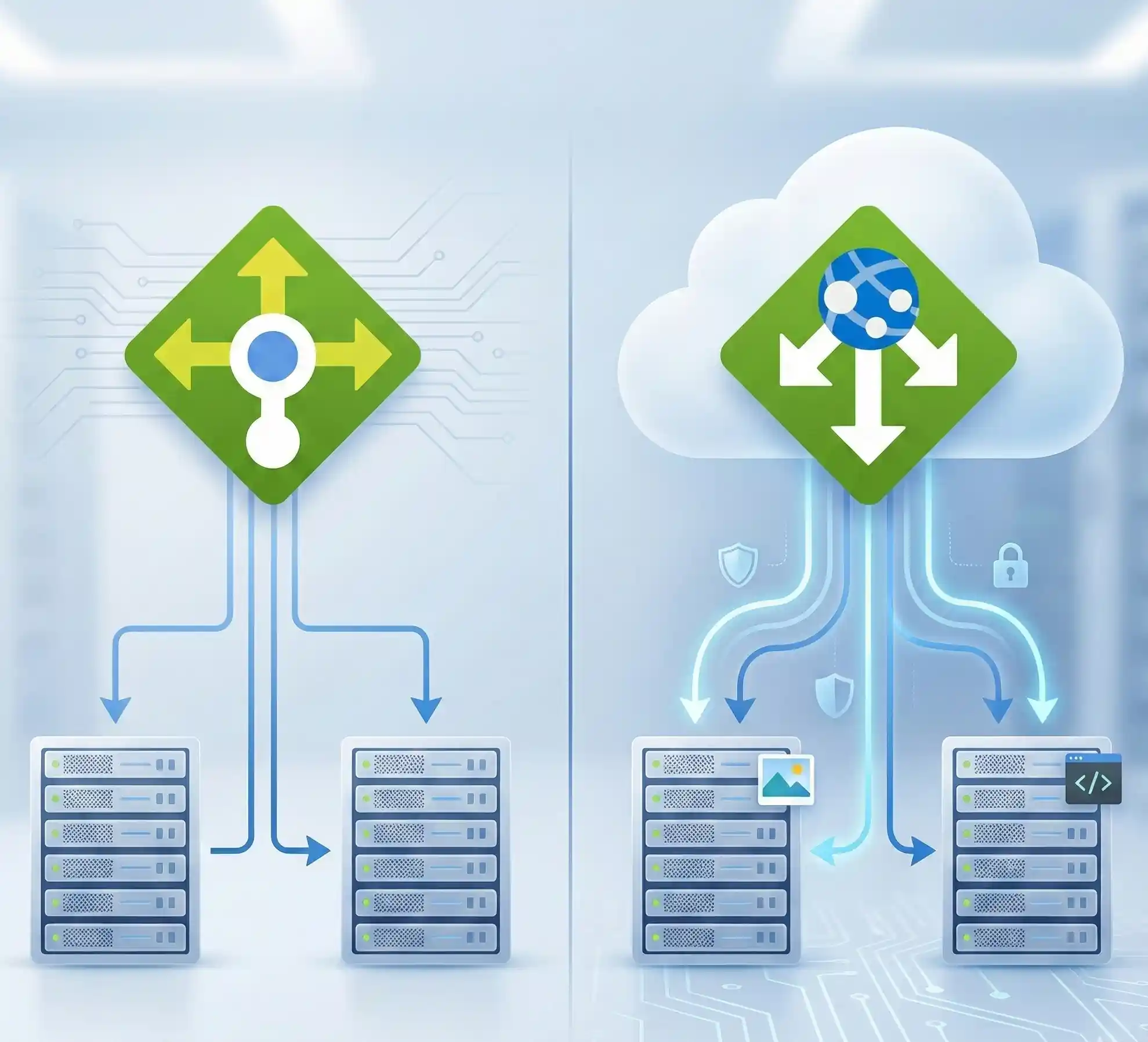
Azure's Content Delivery Network (CDN) - (Front Door) ensures your content loads quickly worldwide. A small software company I consulted went from serving only US customers to having users in 30 countries within six months. Moreover, they didn't need to set up any international infrastructure.
Azure AI and Machine Learning for Small Business Innovation
Artificial Intelligence isn't just for tech giants anymore. Azure's AI services are surprisingly accessible and affordable for small businesses.
Practical AI Applications for SMBs
Customer Service Chatbots: Azure Bot Service helps create intelligent chatbots that handle common customer inquiries. A small insurance agency reduced call volume by 40% using a bot that answers policy questions 24/7.
Document Processing: Azure Form Recognizer extracts data from invoices, receipts, and forms automatically. Subsequently, what used to take hours now takes minutes.
Predictive Analytics: Azure Machine Learning helps predict customer behavior, inventory needs, or equipment failures. A small manufacturing company reduced downtime by 25% by predicting when machines need maintenance.
Language Translation: Azure Cognitive Services translates content in real-time, opening global markets without hiring translators.
Frequently Asked Questions About Azure for Small Business
What are the benefits of using Azure for small businesses?
Azure provides enterprise-grade infrastructure at small business prices. You get scalability to handle growth, security that protects against cyber threats, reliability with 99.9% uptime guarantees, and flexibility with pay-as-you-go pricing and Savings Options. Additionally, Azure eliminates the need for expensive hardware purchases and IT maintenance staff.
Which Azure services are most suitable for small businesses?
The essential Azure services for most small businesses include Azure Virtual Machines for computing power, Azure Storage for files and backups, Azure Active Directory for identity management, Azure App Service for web applications, and Azure SQL Database for data management. Furthermore, services like Azure Backup and Azure Security Center provide critical protection without complexity.
How much does Azure cost for small businesses?
Azure costs vary based on usage, but small businesses typically spend between $200-2000 monthly. The pay-as-you-go model means you only pay for what you use. Moreover, the Azure Free Tier provides 12 months of popular services free, plus permanent free tiers for many services. Reserved instances can reduce costs by up to 72% for predictable workloads.
Is Azure secure for small business data?
Absolutely! Azure provides military-grade encryption, multi-factor authentication, and continuous threat monitoring. Microsoft invests over $1 billion annually in security and employs thousands of security experts. Subsequently, small businesses get the same security infrastructure that protects Fortune 500 companies. Azure also maintains compliance certifications for GDPR, HIPAA, PCI DSS, and more.
Can small businesses migrate to Azure easily?
Yes, Azure provides multiple migration tools and approaches suited for different skill levels. The Azure Migrate tool assesses your current environment and provides step-by-step guidance. Additionally, many applications can be migrated without any code changes using the "lift and shift" approach. Microsoft also offers migration assistance programs and partner support.
What are the best Azure solutions for remote work teams?
Azure Virtual Desktop provides complete desktop environments accessible from anywhere. Azure Files enables secure file sharing across teams. Microsoft Teams integration with Azure AD ensures secure communication. Furthermore, Azure VPN Gateway provides secure connections for remote workers accessing company resources.
How scalable is Azure for growing small businesses?
Azure's scalability is virtually unlimited. You can start with minimal resources and scale up to handle millions of users. The platform automatically handles load balancing and can scale both vertically (more powerful servers) and horizontally (more servers). Moreover, auto-scaling features adjust resources based on demand, ensuring performance while controlling costs.
Are there free Azure services available for small businesses?
Yes! Azure offers generous free tiers including 12 months of popular services, $200 credit for the first 30 days, and 65+ always-free services. These include Azure Functions (1 million requests/month free), Azure Cosmos DB (400 request units per-second provisioned throughput with 25 GB storage - 12months), and Azure Active Directory (50,000 object limit free). Additionally, developer tools like Azure DevOps provide free tiers perfect for small teams.
More information : Azure Free Tier
What security best practices should small businesses follow on Azure?
Implement multi-factor authentication for all users, use Azure Security Center's recommendations, enable automatic security updates, encrypt sensitive data at rest and in transit, implement role-based access control (RBAC), regularly review access logs and security alerts, use Azure Key Vault for managing secrets, and maintain regular backups with Azure Backup. Furthermore, conduct quarterly security reviews using Azure Advisor.
How does Azure support compliance for small businesses?
Azure maintains over 90 compliance certifications including GDPR, HIPAA, PCI DSS, ISO 27001, and SOC. The Azure Compliance Manager provides assessments and recommendations specific to your industry. Moreover, Azure automatically logs all activities for audit purposes, and data residency options ensure data stays in your preferred geographic region. Microsoft also provides compliance documentation to simplify your own certification processes.
Certification and Learning Resources
To maximize your Azure investment, consider these certifications and resources:
Recommended Certifications for Small Business IT Staff
Microsoft Azure Fundamentals (AZ-900): Perfect starting point for understanding Azure basics. No technical background required.
Microsoft Azure Administrator (AZ-104): Ideal for staff managing day-to-day Azure operations.
Microsoft Azure Security Technologies (AZ-500): Essential for businesses prioritizing security.
Free Learning Resources
- Microsoft Learn: Free, interactive training modules
- Azure Friday: Weekly video series with Azure tips
- Azure Free Account: Hands-on experience without financial risk
- Azure Architecture Center: Best practices and reference architectures
Common Azure Migration Challenges and Solutions
Challenge 1: "Our Internet Isn't Fast Enough"
Solution: Azure ExpressRoute provides dedicated connections that bypass the public internet. Additionally, many applications work fine with standard business internet once optimized. Start with less bandwidth-intensive services and upgrade connectivity as needed.
Challenge 2: "We Don't Have IT Expertise"
Solution: Azure's managed services handle most technical complexities. Moreover, Microsoft partners provide migration and management services tailored for small businesses. The Azure portal's intuitive interface makes basic management accessible to non-technical staff.
Challenge 3: "What About Vendor Lock-in?"
Solution: Azure uses open standards and supports multiple platforms. Your data remains yours and can be exported anytime. Furthermore, many Azure services have equivalent offerings from other providers, making future migration possible if needed.
Challenge 4: "Integration with Existing Systems"
Solution: Azure Hybrid connections allow gradual migration while maintaining existing systems. APIs and connectors integrate with most business applications. Subsequently, you can move to the cloud at your own pace without disrupting operations.
The Future of Small Business in the Azure Cloud

The cloud isn't just changing how small businesses operate – it's redefining what's possible for them. With Azure, a five-person startup can have the same technological capabilities as a multinational corporation.
Emerging Azure Technologies for SMBs
Azure IoT Hub: Connect and manage smart devices. A small logistics company uses IoT sensors to track shipments in real-time, improving customer satisfaction and reducing losses.
Azure Blockchain Service: Create transparent, tamper-proof systems. Small businesses use it for supply chain verification and secure document management.
Preparing for Tomorrow
The businesses that thrive tomorrow are preparing today. Azure's continuous innovation means new opportunities constantly emerge. Furthermore, starting your cloud journey now positions you to adopt future technologies as they become available.
Conclusion: Your Azure Journey Starts Now
Running a small business is challenging enough without worrying about IT infrastructure. Azure removes those technical barriers, letting you focus on what you do best – growing your business and serving your customers.
From my five years as an Azure Solution Architect, I've seen more than 100 small businesses transform their operations with Azure. The ones that succeed share common traits: they start small, learn continuously, and aren't afraid to innovate. Moreover, they understand that cloud computing isn't just about technology – it's about enabling business growth.
Whether you're looking to reduce costs, improve security, enable remote work, or scale globally, Azure provides the tools and services to make it happen. The question isn't whether your small business should move to the cloud, but how quickly you can start benefiting from it.
Ready to transform your small business with Azure? Start with the free tier, experiment with services relevant to your needs, and don't hesitate to seek help from Microsoft partners or the Azure community. Your cloud journey begins with a single step, and that step could be the difference between struggling to keep up and leading your industry.
Remember, every large enterprise using Azure today started somewhere. Why shouldn't the next success story be yours?
Take Action Today: Visit Microsoft Azure Free Account to get started with $200 in credits and 12 months of free services. Your small business's digital transformation is just a click away.

Need help getting started? Microsoft Partners specializing in small business migrations are ready to assist. Contact Microsoft Support or visit the Azure Migration Center for personalized guidance tailored to your business needs.


No comments yet. Be the first to share your thoughts!