

Hey there! Let me guess - you're juggling Docker containers like a circus performer, and someone just mentioned Azure Container Registry (ACR) at your last team meeting. Now you're wondering if this is the missing piece in your DevOps puzzle. Well, grab your favorite coffee because I'm about to walk you through everything you need to know about ACR, and trust me, by the end of this, you'll be pushing containers like a pro!
What Exactly is Azure Container Registry, and Why Should You Care?
Picture this: You've built this amazing containerized application, but where do you store all those Docker images? That's where Azure Container Registry steps in - think of it as your private, secure garage for all your container images, but way cooler and in the cloud.
ACR is Microsoft's managed private Docker registry Azure solution that lets you store and manage container images without the headache of maintaining your own infrastructure. It's like having a personal assistant who not only organizes your containers but also makes sure they're secure, available globally, and ready to deploy at a moment's notice.
Setting Up Your First Azure Container Registry (The Fun Part!)
Creating a new Azure Container Registry is surprisingly straightforward - no PhD required! Here's how I usually do it:
The Step-by-Step Breakdown
First things first, you'll need an Azure subscription (obviously). Once you're in the Azure portal, creating an ACR is as simple as ordering pizza online. You click "Create a resource," search for "Container Registry," and boom - you're halfway there!
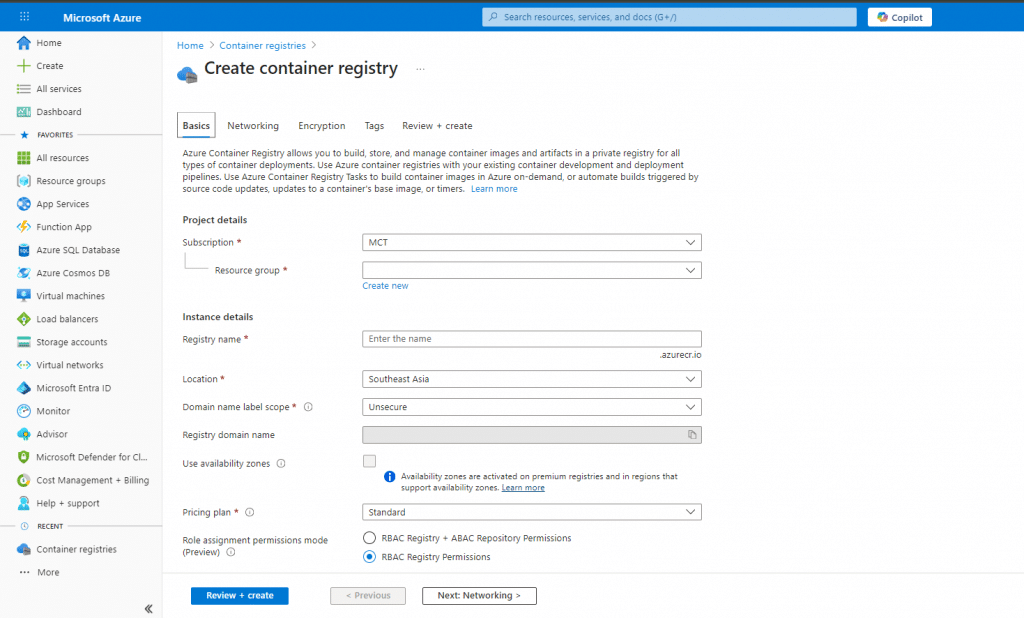
Now, here's where it gets interesting. You've got some decisions to make:
Choosing Your Service Tier (It's Like Picking a Netflix Plan)
ACR offers three service tiers - Basic, Standard, and Premium. Let me break this down for you:
Service Tier Storage Throughput Best For Monthly Cost (Approx)
Basic 10 GB Low Development/Testing $5
Standard 100 GB Medium Small Production Workloads $20
Premium 500 GB High Enterprise with Geo-replication $50+
I usually start with Basic for my personal projects and scale up when needed. It's like starting with a studio apartment before moving to a penthouse - you don't need all that space on day one!
The Security Dance: Authentication Methods That Actually Work
Let's talk security because, let's face it, nobody wants their container images floating around the internet like lost balloons. Azure registry authentication isn't just important - it's absolutely critical.
Your Authentication Options Menu
ACR supports several authentication methods, and choosing the right one is like picking the right lock for your door:
Admin Account - The quick and dirty option. I use this for demos (like we're doing today!), but please, for the love of all things secure, don't use this in production!
Service Principal - Your go-to for automated scenarios. Perfect when your CI/CD pipeline needs to push images without human intervention.
Azure AD Integration - The enterprise favorite. Integrate with your existing Azure Active Directory for that sweet, sweet single sign-on experience.
Managed Identity - My personal favorite for Azure services. No passwords to manage, no secrets to rotate - it just works!
Demo Time: Let's Get Our Hands Dirty!
Alright, enough theory - let's actually build something! I'm going to show you five different deployment scenarios, from the wild west approach to the Fort Knox level security.
Scenario 1: The Unsecure Approach (Don't Try This at Home!)
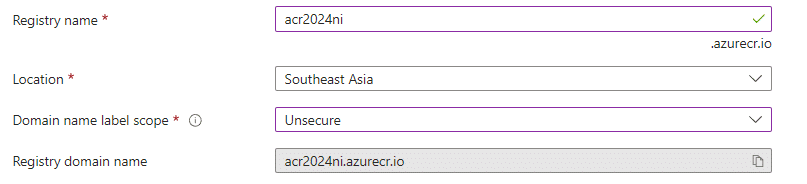
This is what NOT to do. Public access, admin account enabled, no network restrictions - it's like leaving your front door open with a "Free Stuff" sign. I'm showing you this so you know what to avoid!
Scenario 2: Tenant Reuse Strategy
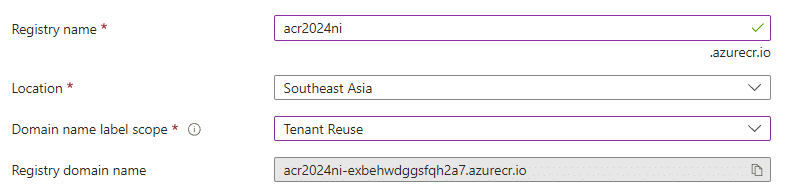
Here's where we start getting smart. By reusing tenant-level configurations, you're creating consistency across your organization. It's like having a master key system - organized and manageable.
Scenario 3: Subscription Reuse Approach
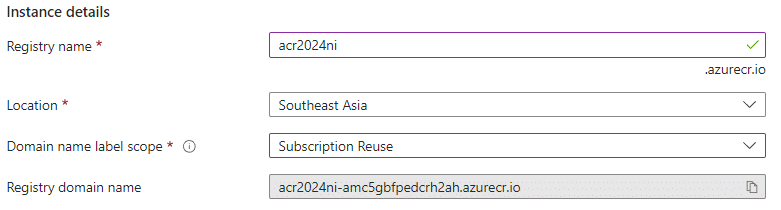
This approach works great when you have multiple projects under the same subscription. You're sharing resources efficiently without compromising isolation.
Scenario 4: Resource Group Reuse Method
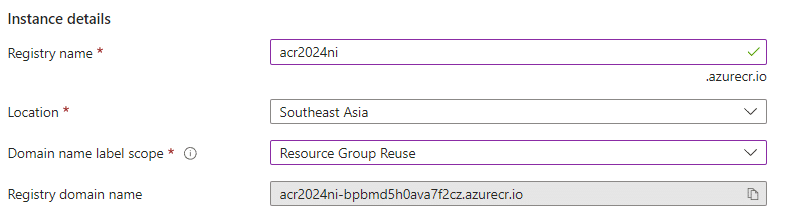
My favorite for medium-sized projects! Group related resources together, apply consistent policies, and manage everything as a unit. It's like organizing your closet by outfit instead of individual pieces.
Scenario 5: No Reuse - Complete Isolation
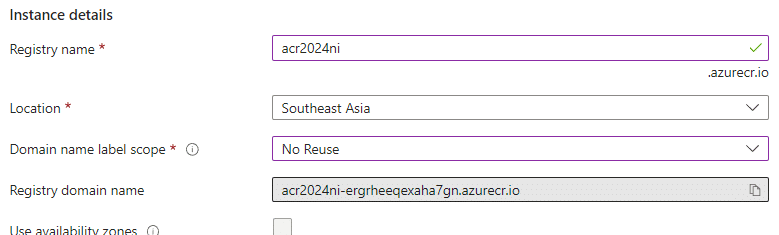
Sometimes you need complete isolation - think regulatory compliance or multi-tenant scenarios. Each registry lives in its own bubble, completely independent.
Creating and Pushing Your First Docker Image to ACR
DEMO : Create Docker Image and push to the ACR
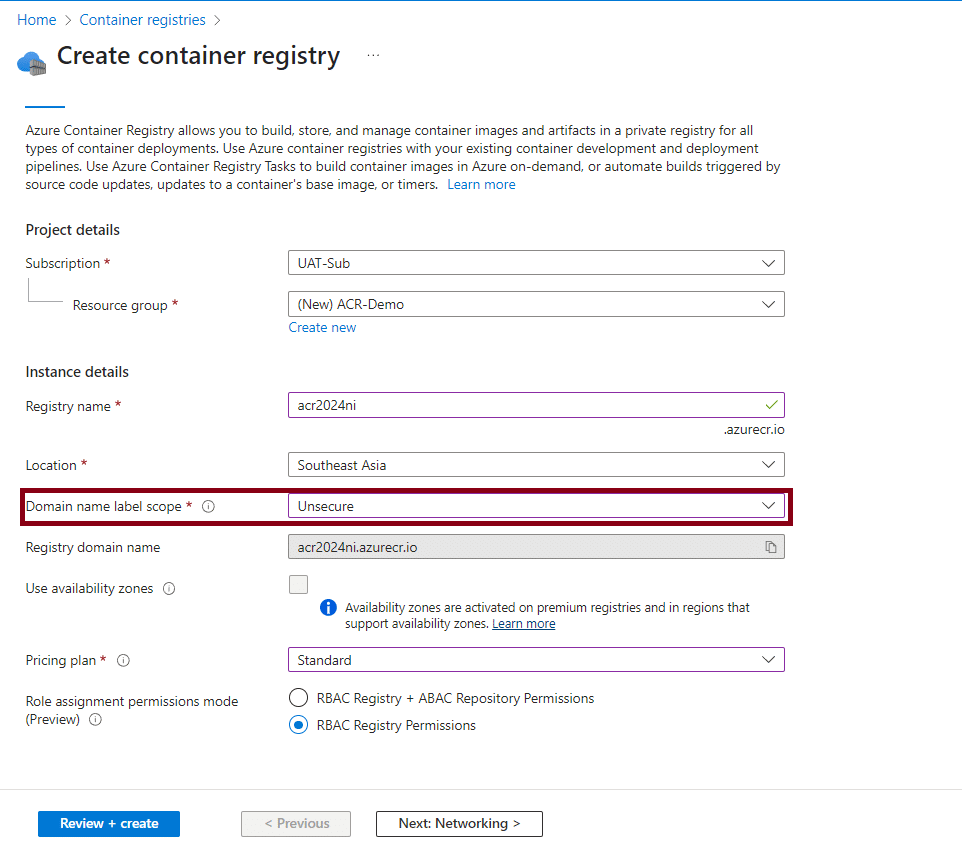
▶️Logging to the Azure Portal and Create ACR
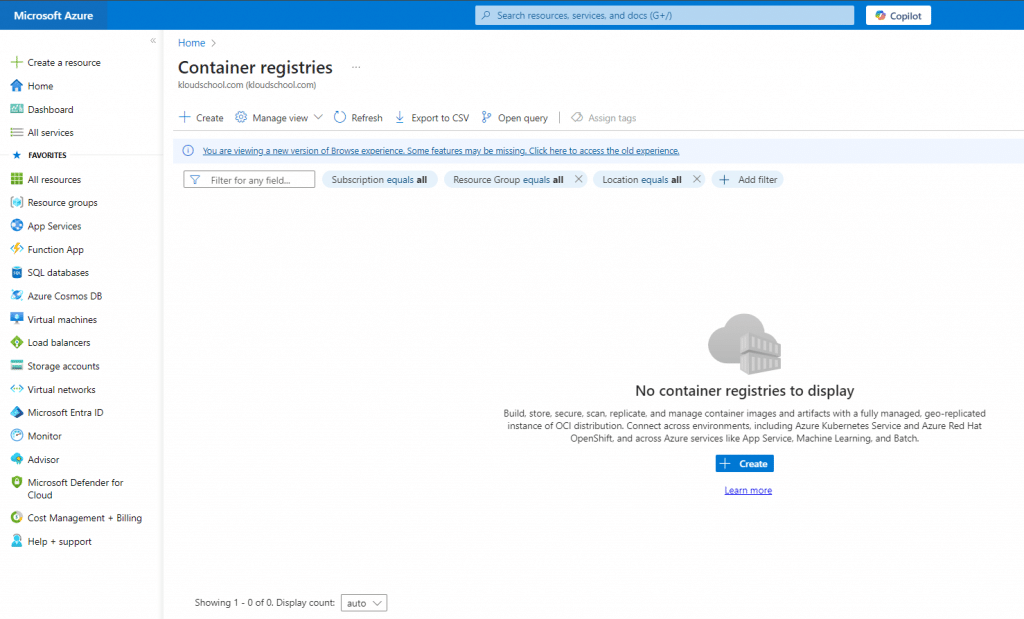
▶️As per this is demo i will created with Unsecure option.
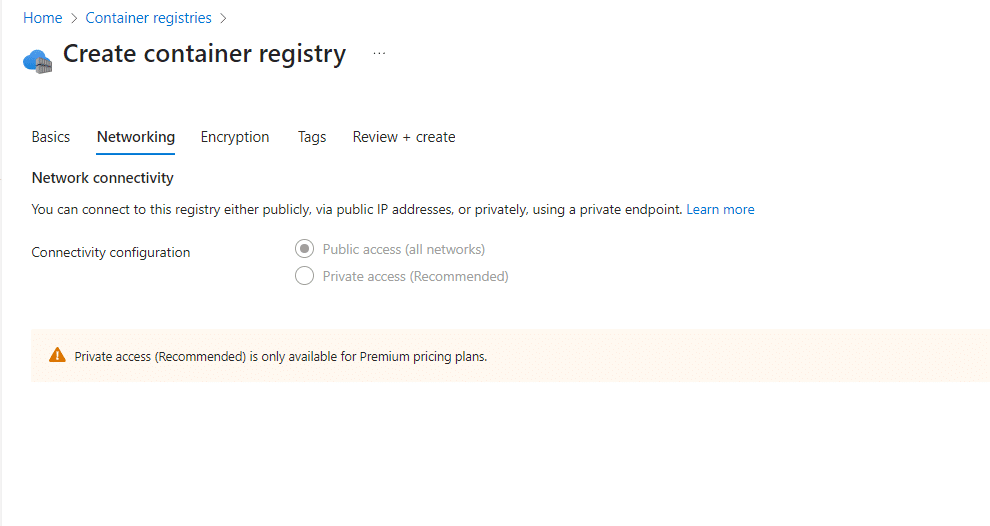
▶️Note : Private access (Recommended) is only available for Premium pricing plans. I mentioned this above.
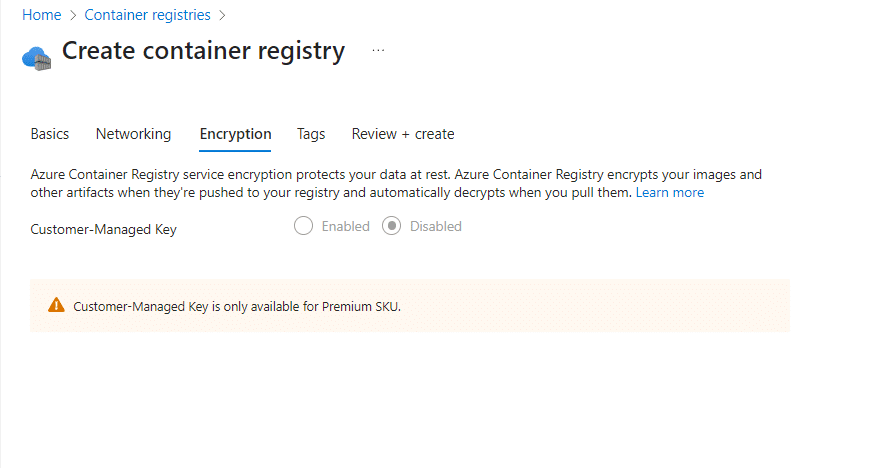
▶️Note : Customer-Managed Key is only available for Premium SKU.. I mentioned this above.
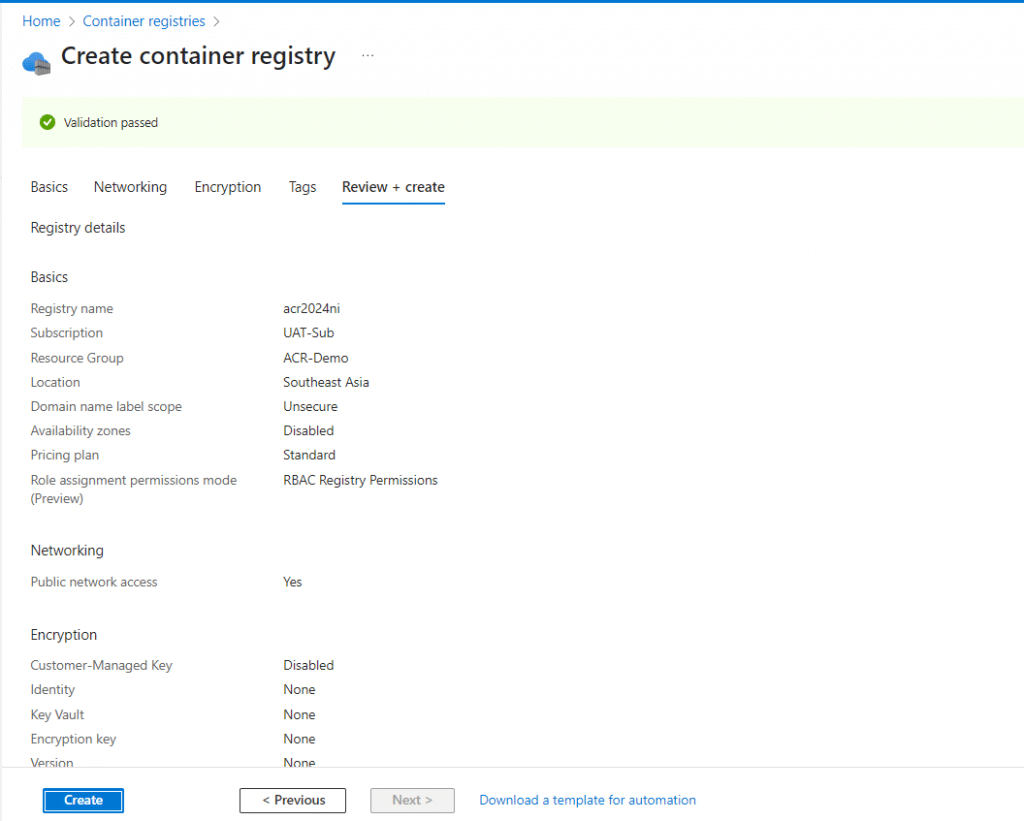
▶️Overview
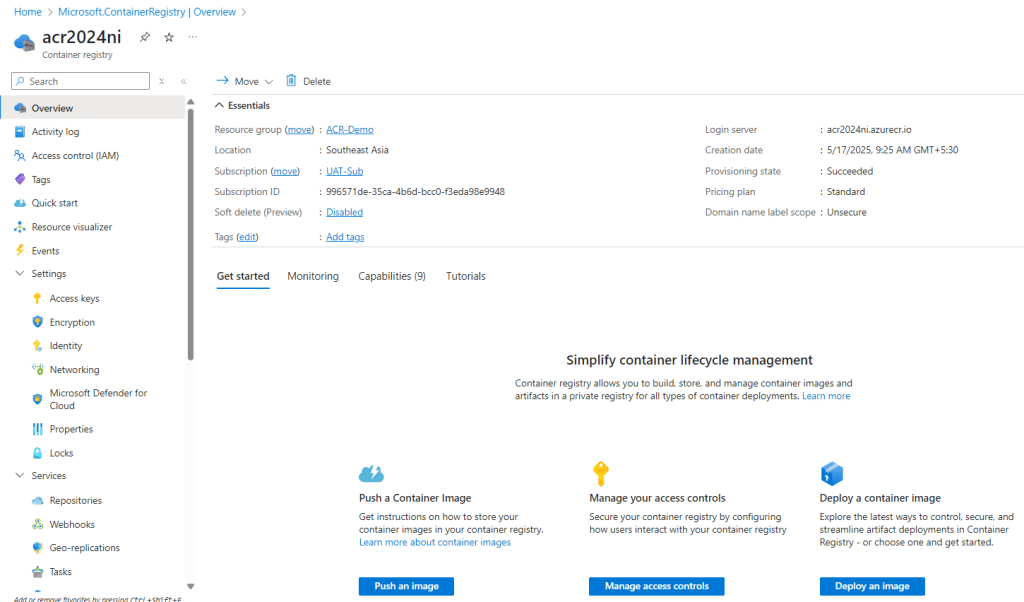
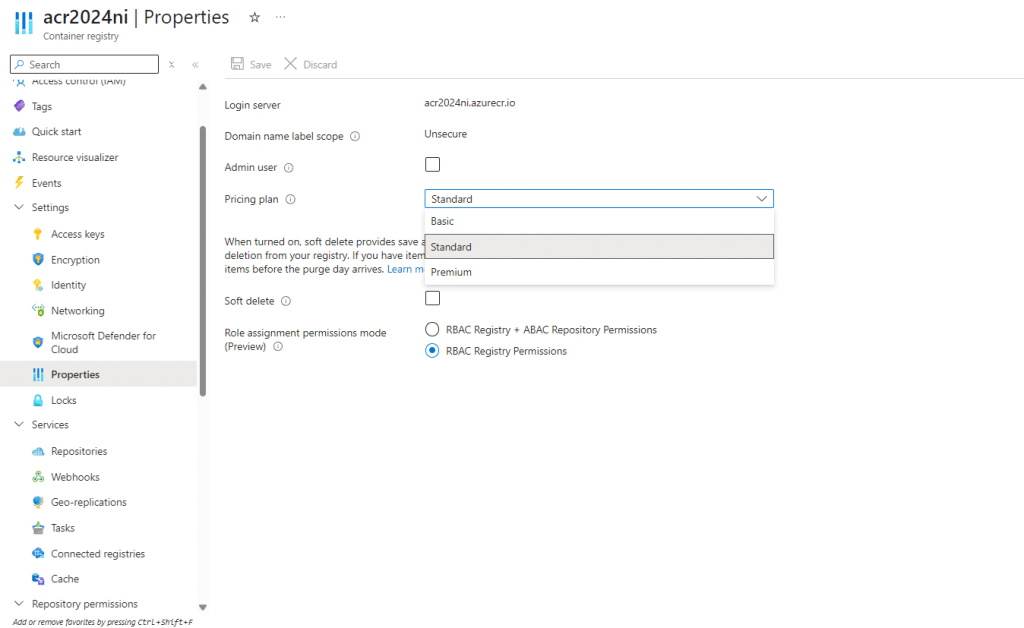
▶️Properties Section Can change Pricing tier any time
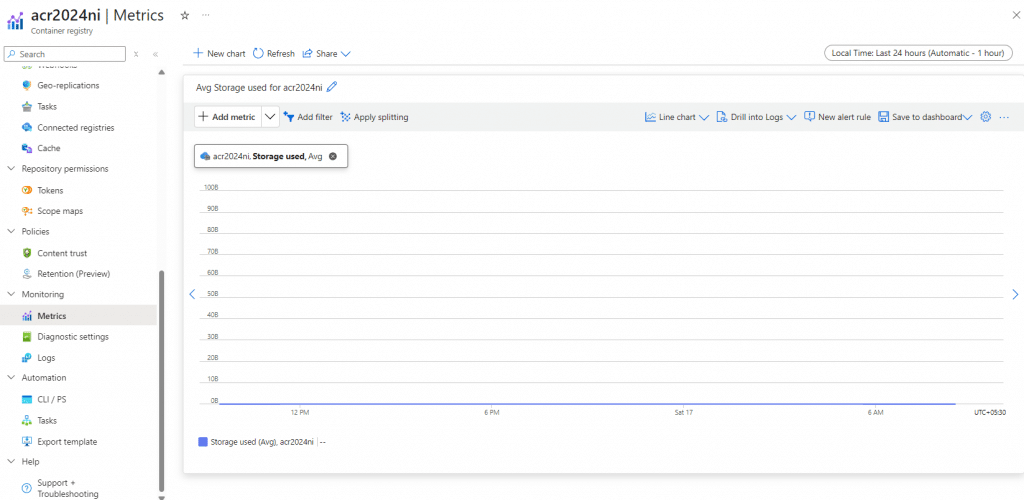
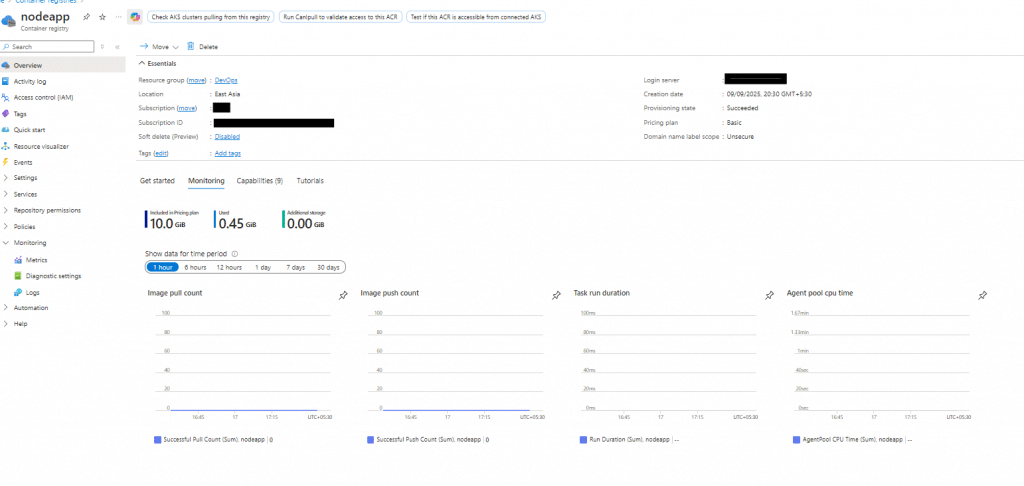
▶️Under the Monitoring --> Metrics we can get metrics of the ACR. (Ex: Storage Usage , Success Pull Count, Etc...)
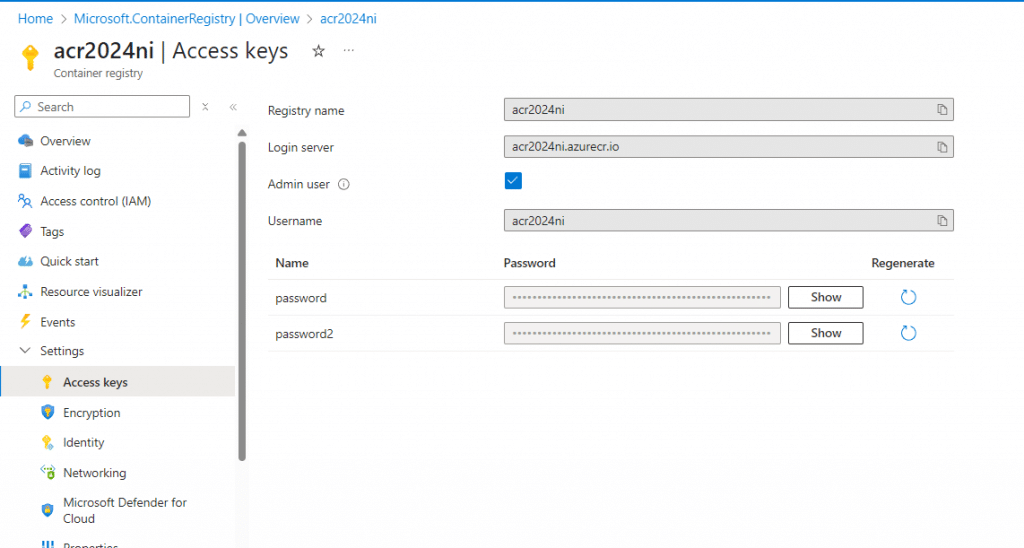
▶️Access Key Section we can get Credentials for this ACR.
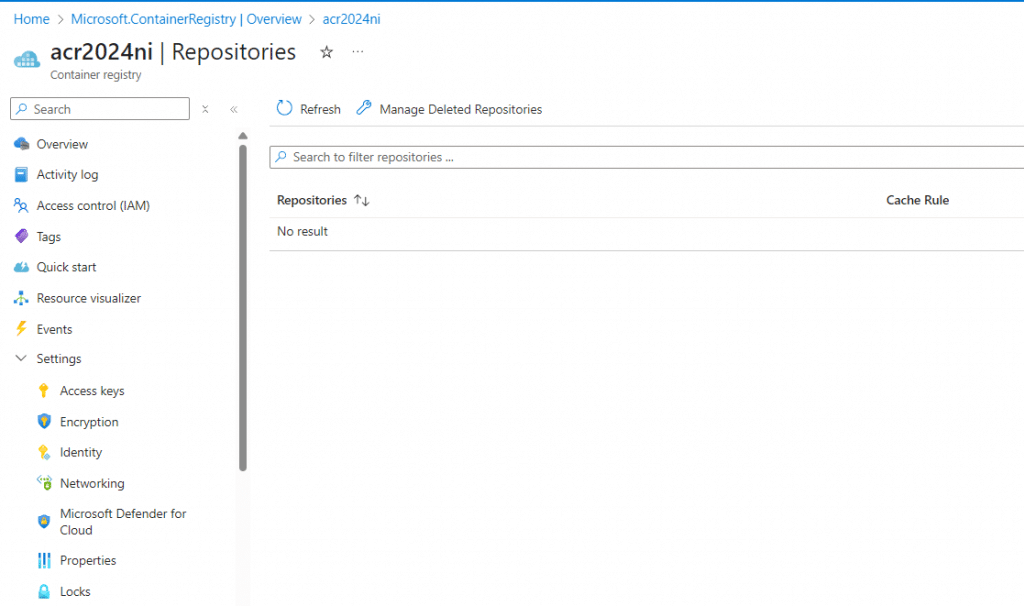
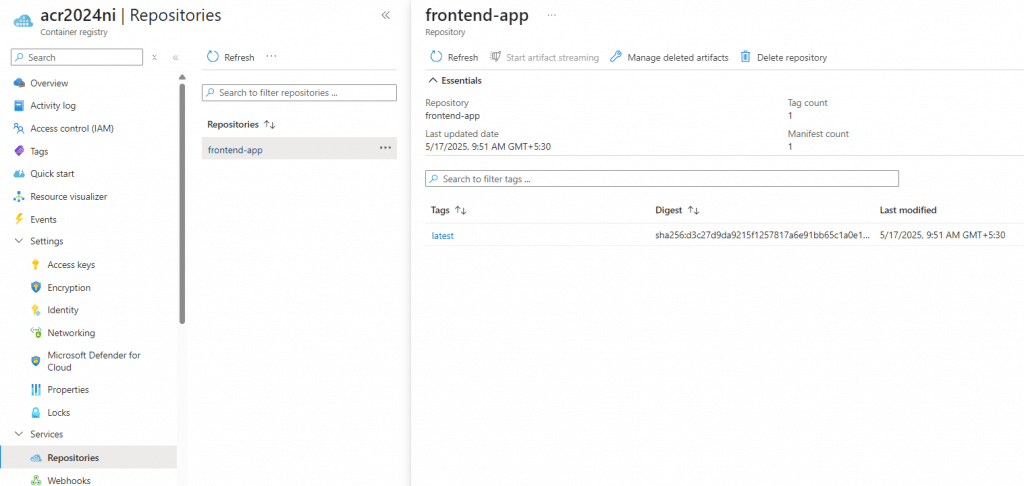
▶️Repository Section we can view Images (Container Images).
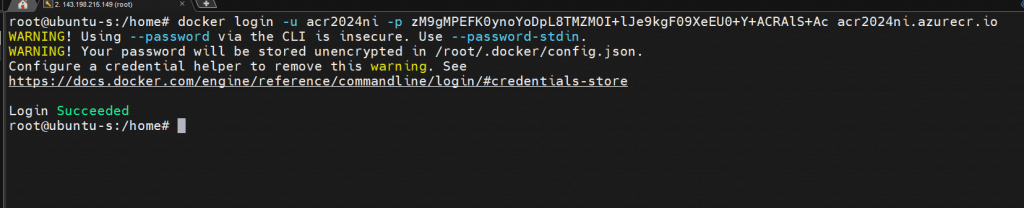
▶️Using Linux PC logging to the ACR
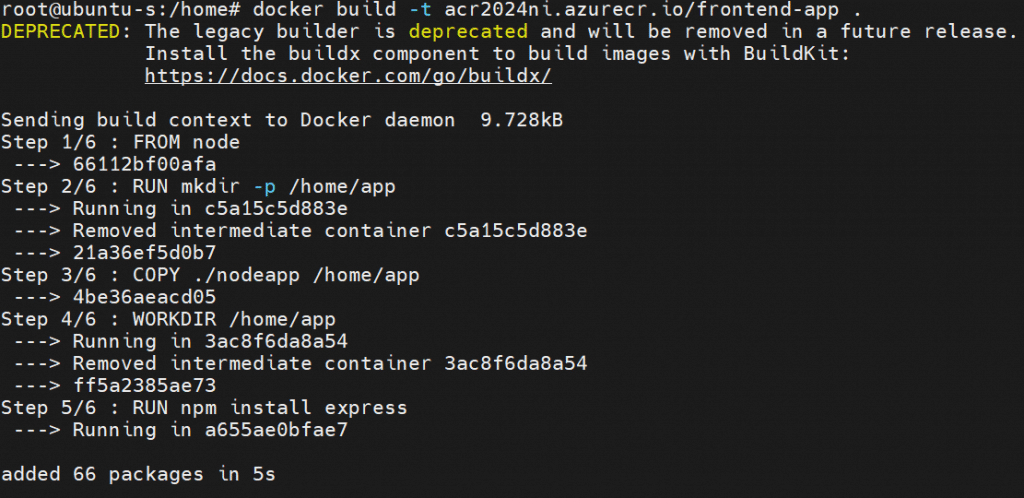
▶️Create Docker Image
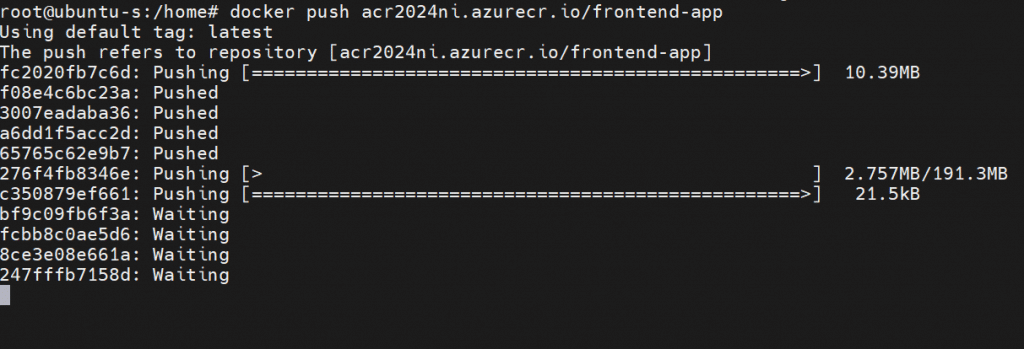
Note : For the image tagging we must need to use ACR repository DNS name. In this Demo ACR name is "acr2024ni.azurecr.io" and image name is "frontend-app"
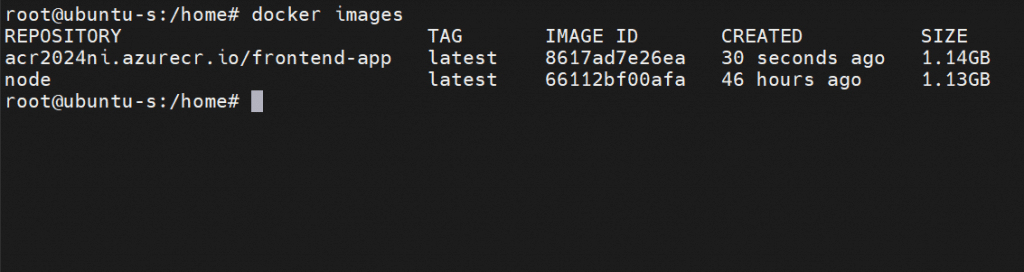
▶️Push this image to Azure Container registry.
▶️Now We can see our image in Azure Container registry.
The Kubernetes Connection: ACR + AKS =
Can Azure Container Registry integrate with Azure Kubernetes Service? Oh boy, can it ever! It's like peanut butter and jelly - they're just meant to be together.
Setting up the integration is ridiculously simple:
- Create your AKS cluster
- Attach your ACR to the cluster
- Deploy your apps directly from ACR
No more image pull errors, no more authentication headaches. Your Kubernetes cluster just knows where to find its images. Magic? No, just good engineering!
Automating Everything with ACR Tasks
Here's where things get really exciting. ACR Tasks is like having a personal assistant who builds your containers while you sleep. Want to automatically build and push images every time you commit code? ACR Tasks has got your back!
yaml
# Example ACR Task definition
steps:
  - build: -t $Registry/myapp:$ID .
  - push: ["$Registry/myapp:$ID"]
You can trigger builds on:
- Code commits
- Base image updates
- Schedule (because who doesn't love cron jobs?)
- Manual triggers (for those control freaks among us)
Going Global with Geo-Replication
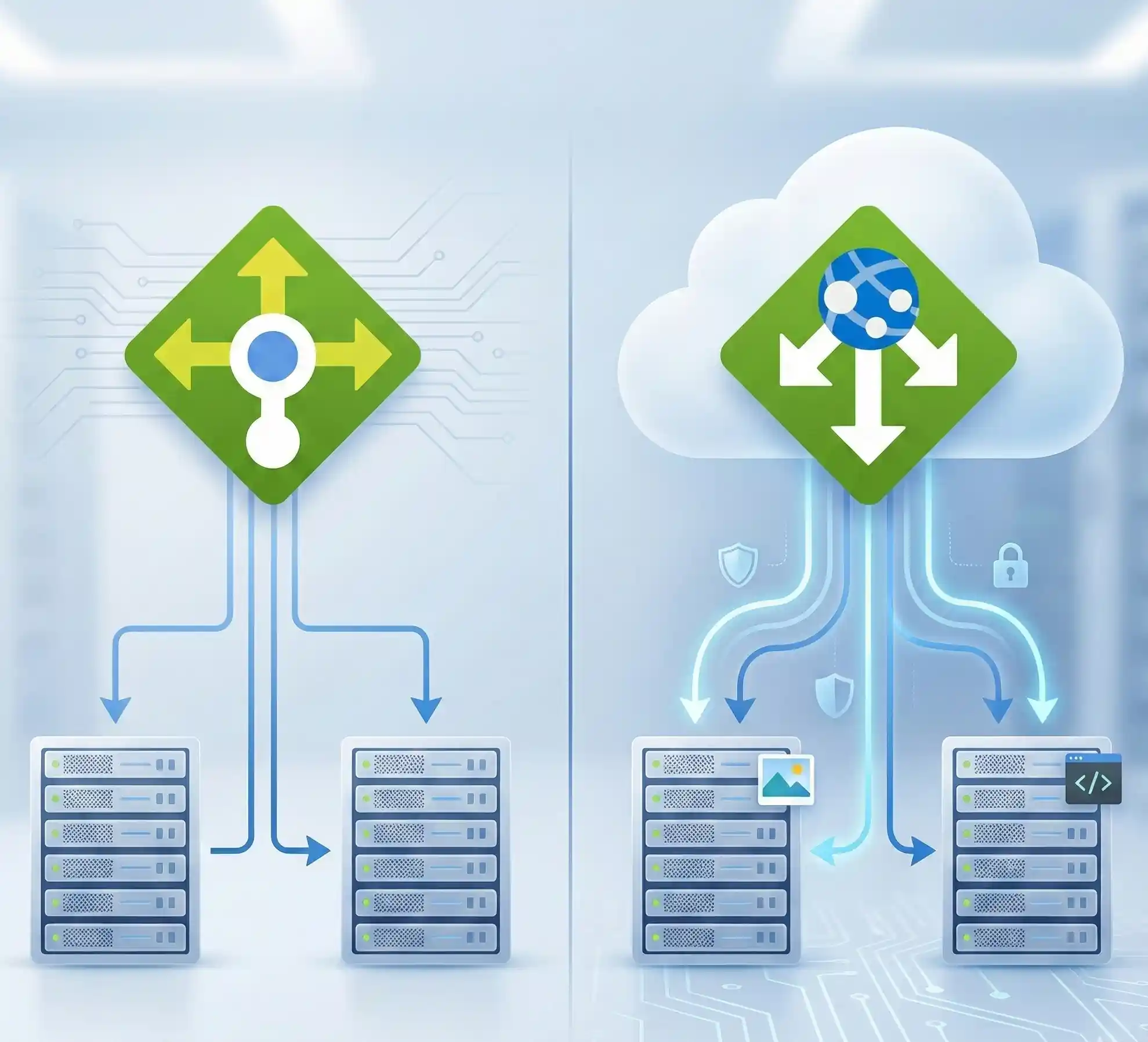
If your application serves users worldwide, you need Azure registry geo-replication. It's available in the Premium tier, and trust me, it's worth every penny.
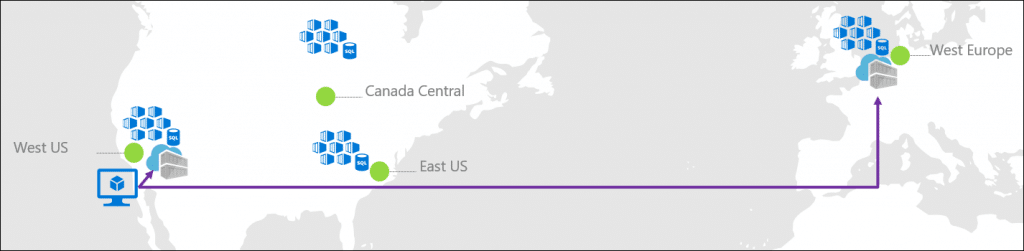
Image : Geo-replication in Azure Container Registry
Imagine having copies of your container images in data centers around the world. Users in Tokyo pull from Asia, while your European customers get served from Amsterdam. Faster pulls, happier users, fewer support tickets - everybody wins!
Security Features That'll Help You Sleep at Night
Let's dive deeper into securing Azure Container Registry because security isn't just a feature - it's a lifestyle choice!
The Security Swiss Army Knife
Security Feature What It Does Why You Need It Network Restrictions Limits access to specific networks Prevents unauthorized access Content Trust Ensures image integrity No more tampered images Vulnerability Scanning Identifies security issue Catch problems before deployment Soft Delete Policy Recovers accidentally deleted images Because mistakes happen Encryption at Rest Protects stored data Compliance and peace of mind
Troubleshooting Common ACR Issues (Because Things Break)
Let me share some war stories and how to fix the most common problems:
Authentication Errors
Getting "unauthorized" errors? Check these:
- Is your token expired? (They last 3 hours by default)
- Did you forget to run
az acr login? - Are you using the right credentials?
Push/Pull Performance Issues
Slow uploads? Try:
- Switching to a closer region
- Upgrading your service tier
- Checking your internet connection (yes, really!)
Image Not Found Errors
Double-check:
- Your image tags (typos are real!)
- Registry name spelling
- Repository permissions
Best Practices I've Learned the Hard Way
After years of working with ACR, here are my golden rules:
- Always use tags - "latest" is not a version strategy!
- Enable vulnerability scanning - Security first, always
- Set up retention policies - Your registry shouldn't be a digital hoarder
- Use service principals for automation - Admin accounts are for humans only
- Monitor your usage - Those storage costs can sneak up on you
ACR vs Docker Hub: The Ultimate Showdown
People always ask me, "Why not just use Docker Hub?" Here's my take:
Azure Container Registry wins when:
- You need private repositories without limits
- Compliance requires data residency
- You're already in the Azure ecosystem
- Performance in Azure regions matters
Docker Hub makes sense when:
- You're sharing public images
- You're just getting started with containers
- Cost is your primary concern
- You need maximum community integration
Advanced Features That'll Make You Look Like a Wizard
Storing Helm Charts in ACR
Did you know ACR can store more than just container images? Helm charts, OCI artifacts, even your grandmother's cookie recipes (okay, maybe not that last one).
Windows Container Support
Yes, ACR fully supports Windows container images! It's not just a Linux party anymore.
Content Trust and Signing
Sign your images like you're signing autographs - it proves authenticity and prevents tampering.
Monitoring Your ACR Like a Pro
Keep an eye on:
- Storage usage (those gigabytes add up!)
- Pull/push metrics (spot patterns and anomalies)
- Failed authentication attempts (security, remember?)
- Geo-replication lag (if you're going global)
Role-Based Access Control: Who Gets the Keys?
RBAC in ACR is like being a bouncer at an exclusive club. You decide who gets in and what they can do:
- Reader: Can pull images (the tourists)
- Contributor: Can push and pull (the regulars)
- Owner: Full control (the VIPs)
Custom roles? Absolutely! Mix and match permissions like you're creating the perfect playlist.
The Bottom Line: Is ACR Right for You?
Look, I've thrown a lot at you today. But here's what it all boils down to: If you're serious about containers and you're in the Azure ecosystem, Azure Container Registry isn't just a nice-to-have - it's essential.
Starting out? Go with Basic tier and grow from there. Building the next unicorn startup? Premium with geo-replication all the way. The beauty is you can start small and scale as you grow.
Your Next Steps
Ready to dive in? Here's what I'd do if I were you:
- Start with a free Azure account - You get $200 in credits to play with https://azure.microsoft.com/en-us/pricing/purchase-options/azure-account
- Create a Basic tier ACR - Perfect for learning
- Push your first image - Even a simple "Hello World" counts!
- Experiment with ACR Tasks - Automation is addictive
- Join the community - Azure folks are surprisingly helpful
Remember, every expert was once a beginner who refused to give up. Your container journey starts with a single push command. So what are you waiting for? Your containers aren't going to manage themselves!
Got questions? Hit me up in the comments below. I love talking about this stuff, and I promise I'll respond faster than a container pull from a geo-replicated registry!
Happy containerizing, folks!



No comments yet. Be the first to share your thoughts!