

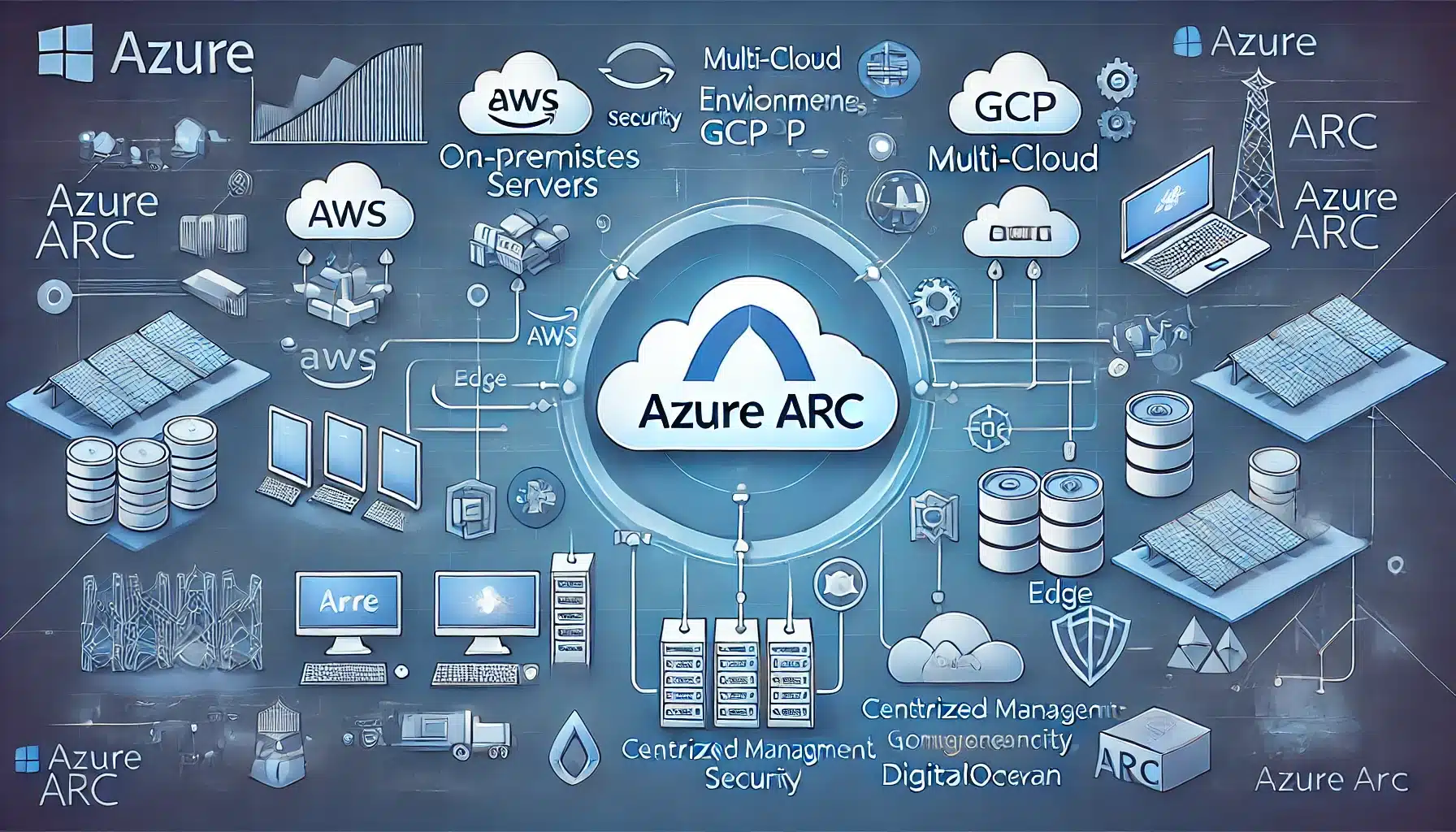
Picture this: You're juggling servers like a circus performer – some in Azure, others on-premises, maybe a few hiding in AWS. Sound familiar? Yeah, I've been there too. That chaos ended when I discovered Azure Arc, and trust me, it's about to become your new best friend in the cloud management game.
What Is Azure Arc and How Does It Actually Work?
Let me break this down for you in plain English. Azure Arc is basically Microsoft's way of saying, "Hey, why not manage everything from one place?" It's like having a universal remote control for all your IT infrastructure – whether it's sitting in your server room, chilling in Azure, or hanging out in another cloud.
Think of it as extending Azure's superpowers to literally anywhere. Your on-premises servers? They can now enjoy Azure services. That Kubernetes cluster running in your data center? Yep, Azure can manage that too. It's pretty wild when you think about it.
Here's the magic: Azure Arc uses lightweight agents that connect your resources back to Azure. These agents are like little ambassadors, creating a bridge between your stuff and Azure's management plane. Once connected, boom – you're managing everything through the Azure portal, using the same tools and policies you already know.
Why Should You Even Care? The Real Benefits
Alright, let's talk benefits – and I mean the real ones, not the marketing fluff.
Consistency is King: Remember trying to manage different environments with different tools? Yeah, that's ancient history now. With Azure Arc, you're using one set of tools for everything. Your Azure Arc enabled servers all play by the same rules, whether they're in Timbuktu or Toronto.
Security That Actually Makes Sense: Here's something cool – you can apply Azure's security policies everywhere. I'm talking about Azure Policy Arc configurations that work across your entire hybrid setup. No more "well, it's secure in Azure but who knows what's happening on-premises."
Cost Control (Finally!): With everything under one roof, tracking costs becomes way easier. The Azure Arc pricing model is pretty straightforward too – you pay for the Azure services you use, not for Arc itself. It's like getting the remote control for free; you just pay for what you watch.
Getting Started: Your First Azure Arc Deployment
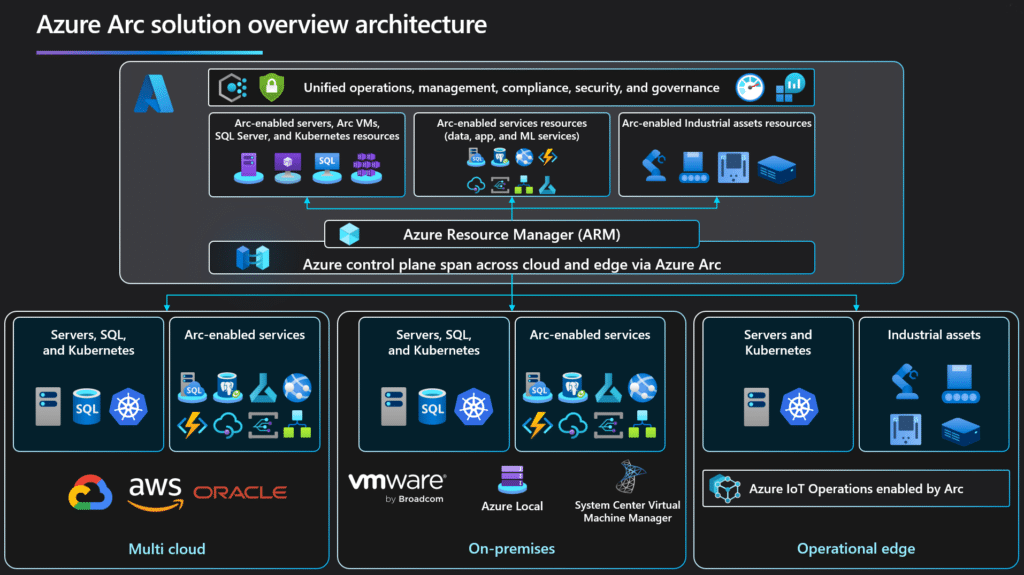
Image link : https://learn.microsoft.com/en-us/azure/azure-arc/overview
Now, let's get our hands dirty. How to deploy Azure Arc enabled servers isn't rocket science, but there are some tricks I've learned along the way.
Prerequisites (The Boring But Important Stuff)
Before you jump in, make sure you've got:
- An Azure subscription (obvious, but had to say it)
- Servers running Windows Server 2012 R2 or later, or pretty much any modern Linux distro
- Internet connectivity (your servers need to phone home)
- The right permissions in Azure (Contributor role or higher)
Step-by-Step Guide to Onboarding Your First Server
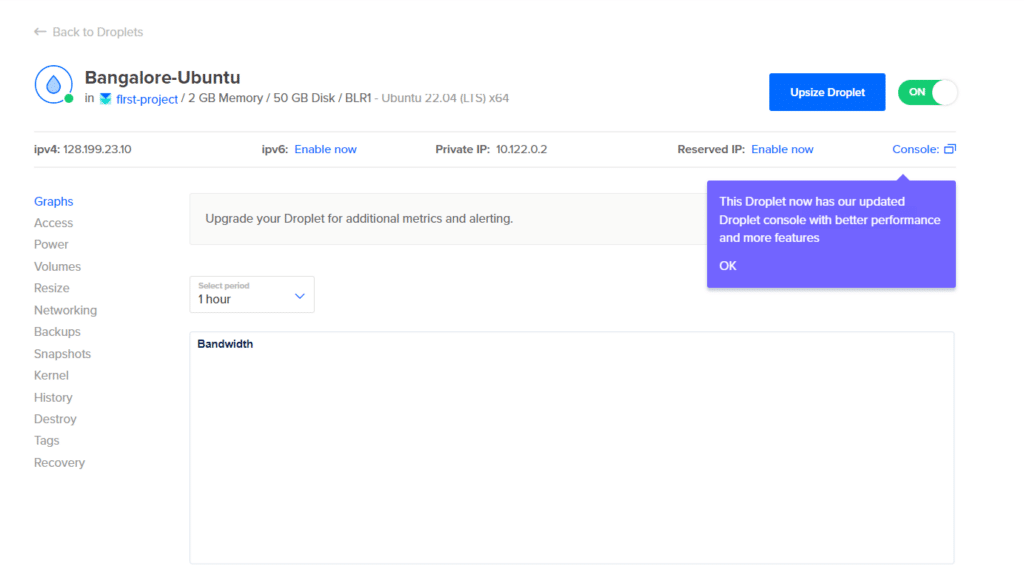
1. Setup Server On Digital Ocean
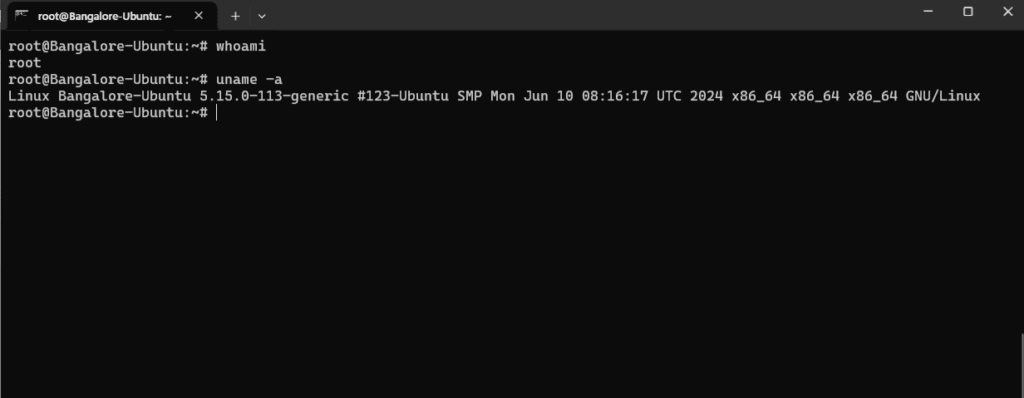
2. Login to this server.
3. Logging to to azure portal and create server
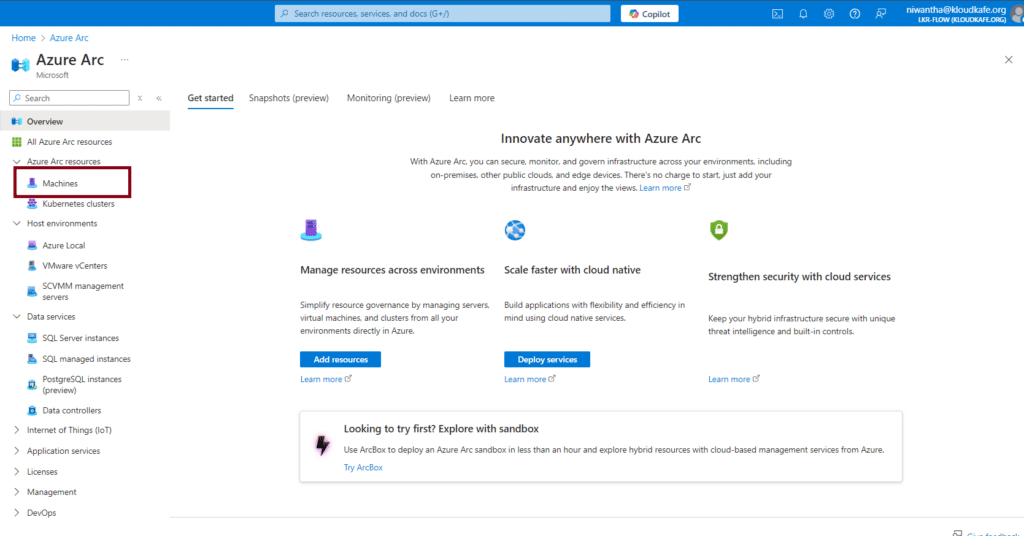
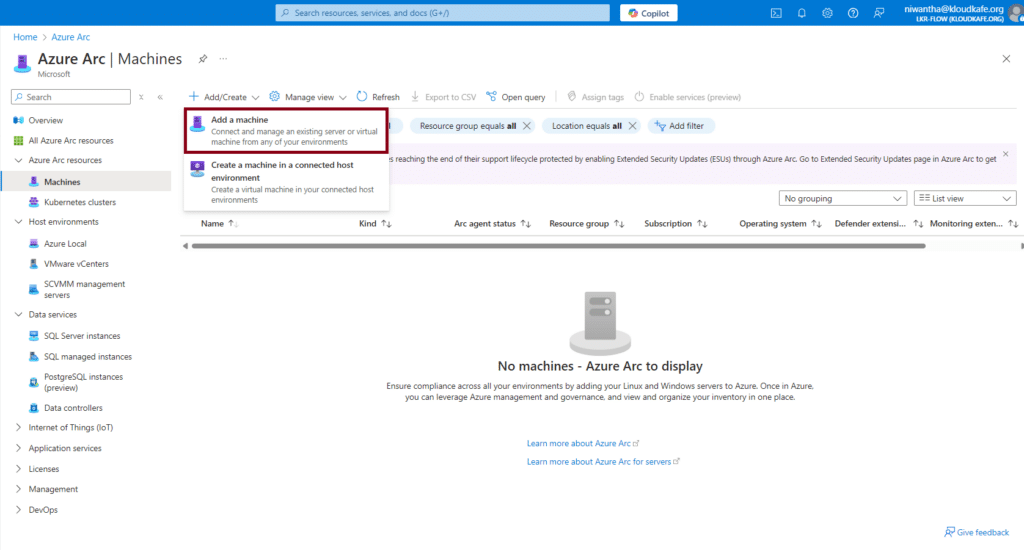
In Below page we can select single server or multiple server or AWS running on servers. But in this demo we are bring up one single server. Hence we care going with "Add a single server" option.
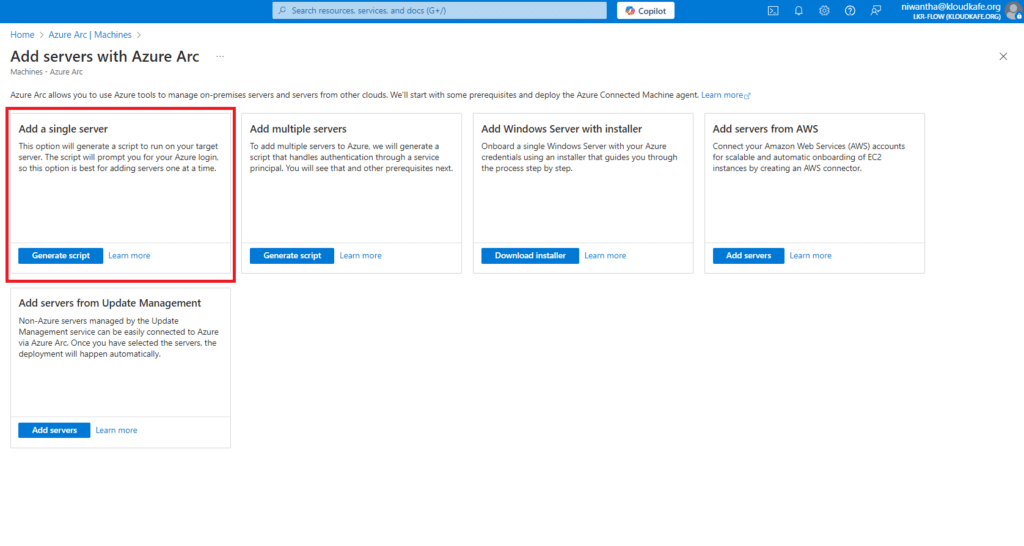
4. Now we can create arc server base on our Digital-Ocean Server
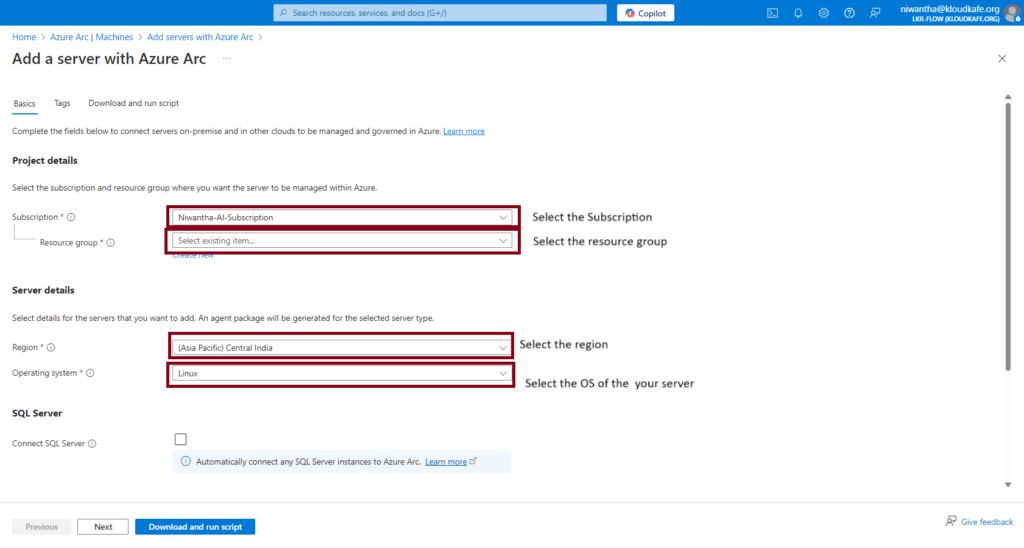
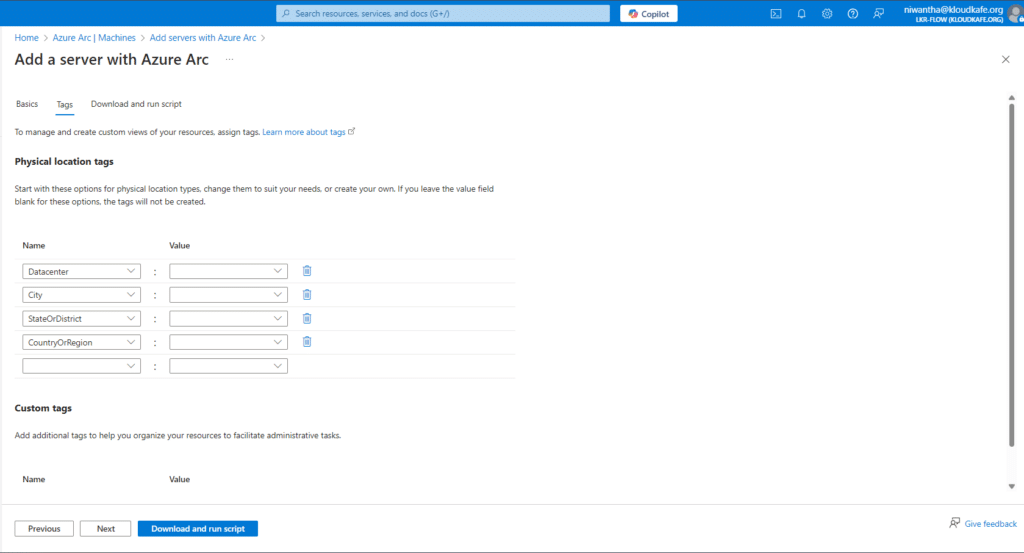
5. if you want to tags for this server from the net option you can add tags.
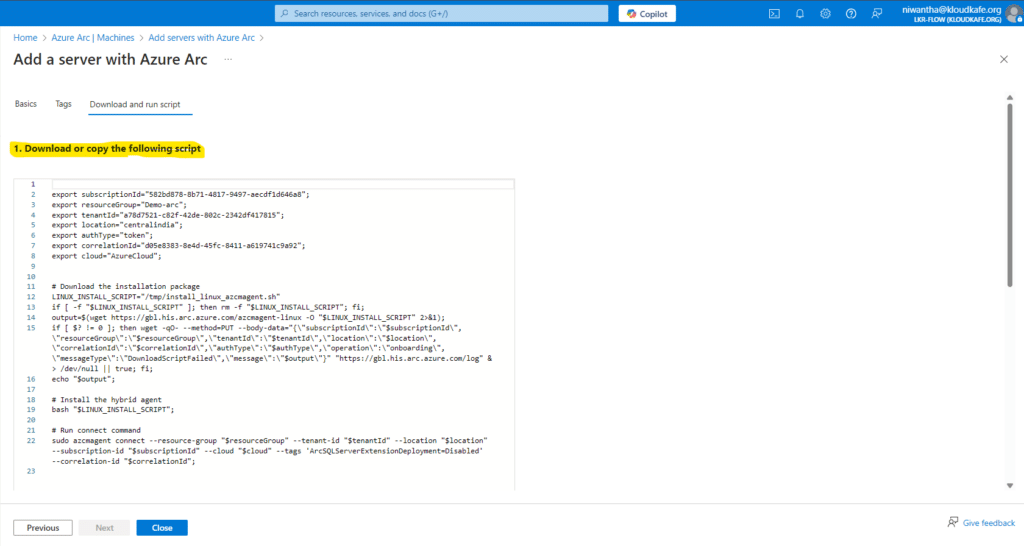
6. Now, Azure provides us with a script to run on our server.
Please Note: Before running this script on your server, ensure that you have the correct access:
Server Access: You must have root privileges on the server.
Azure Subscription Role: You should have the appropriate role in the Azure subscription (e.g., Contributor).
Firewall Configuration: Make sure port 443 is open in both the server firewall and the network-level firewall.
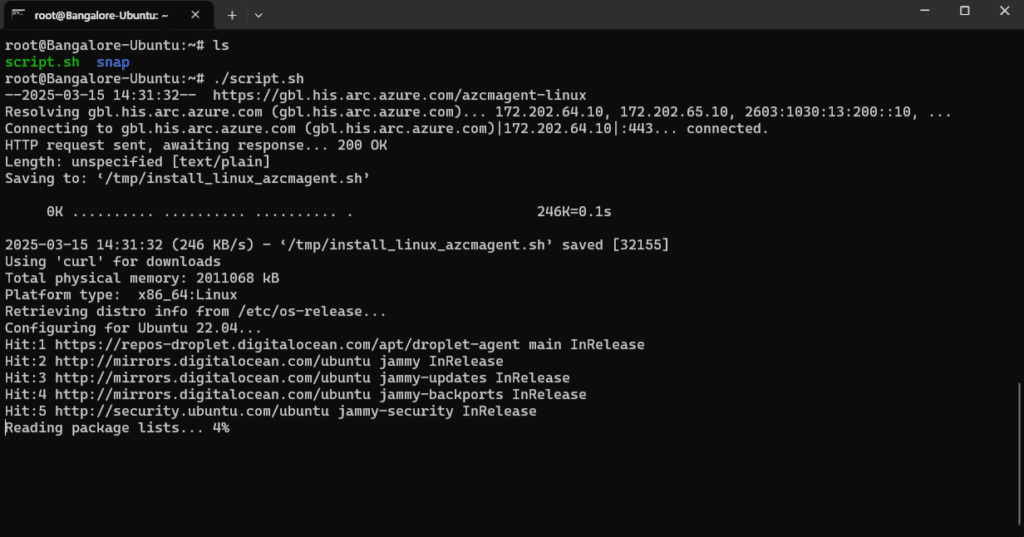
7. Run the script on the server.

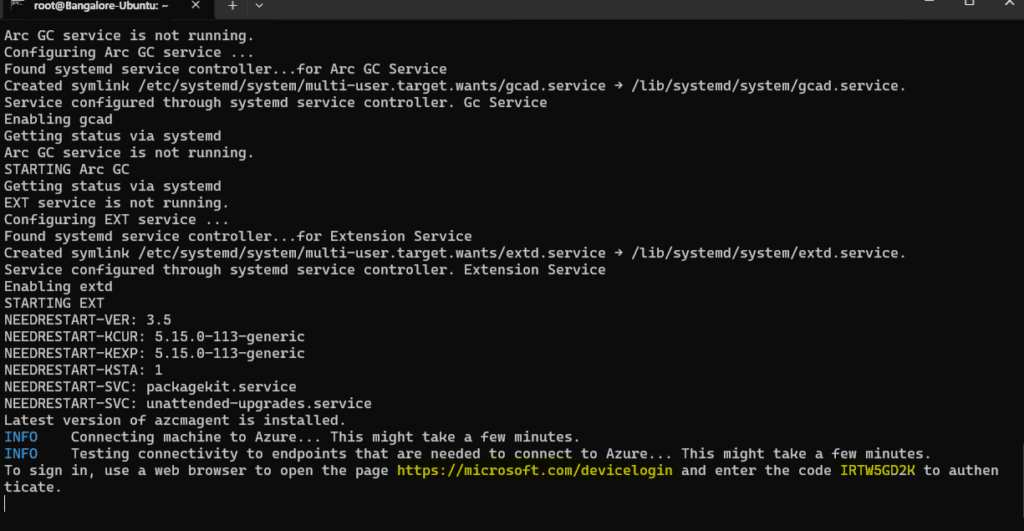
8. Now, the script generates a unique device identification code and a URL. We need to open this URL in a browser and enter the provided code. After that, we must authenticate with our Azure account to verify and complete the onboarding process.
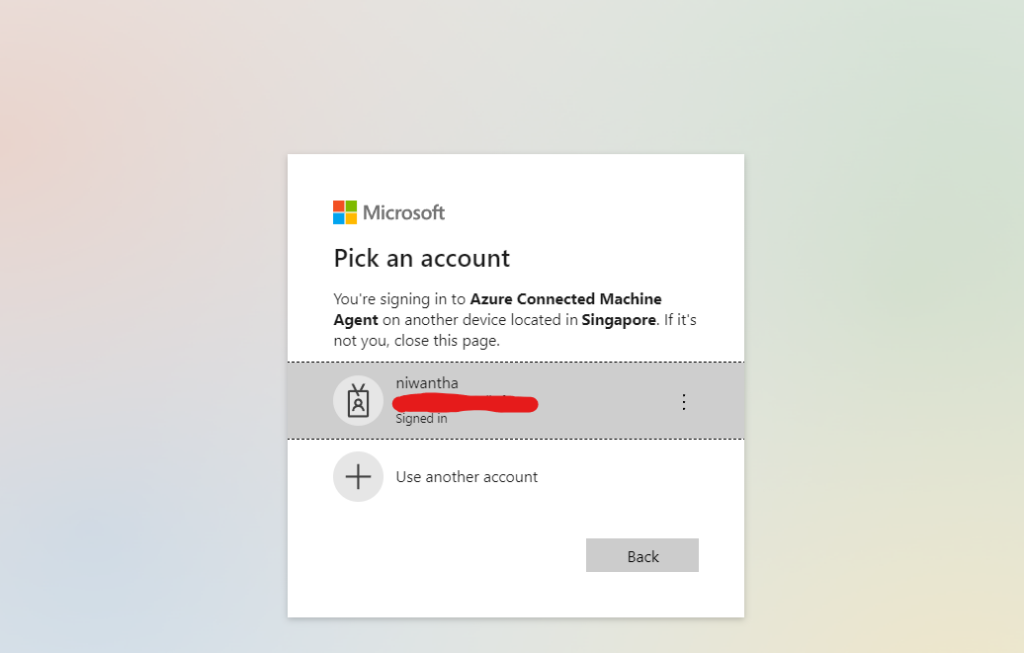
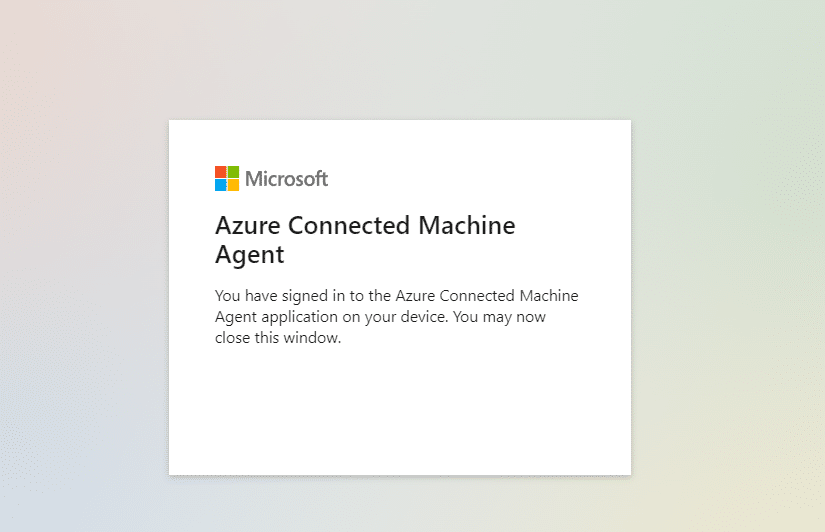
9 .After few minutes we can see our server is on-board
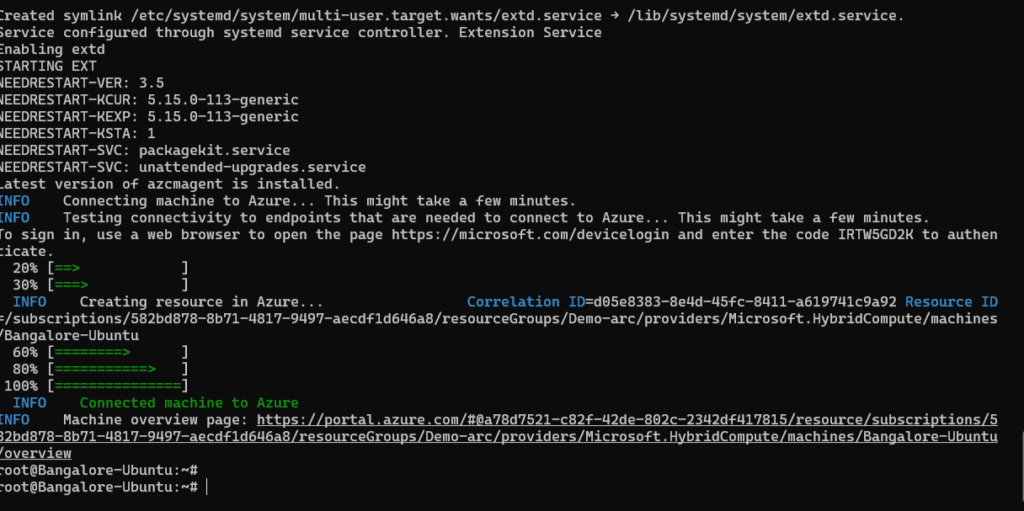
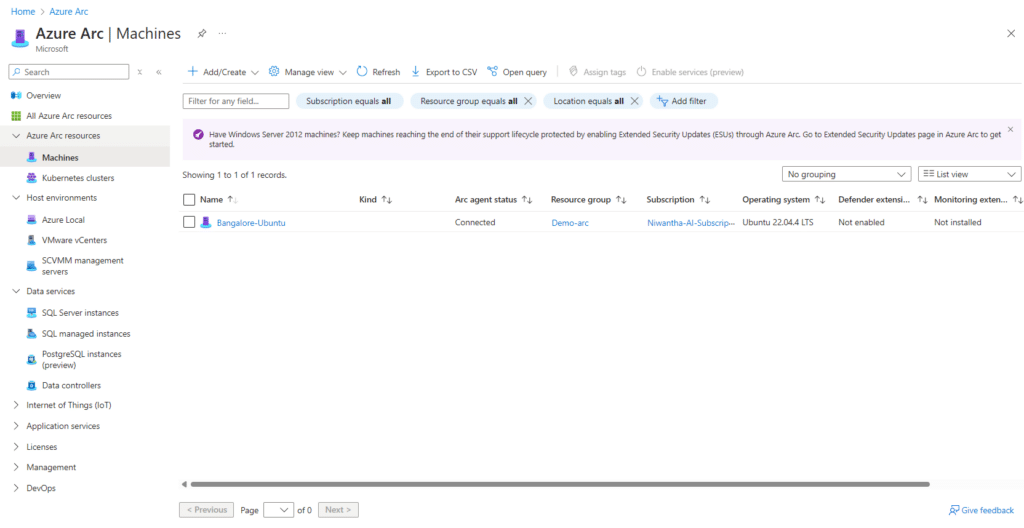
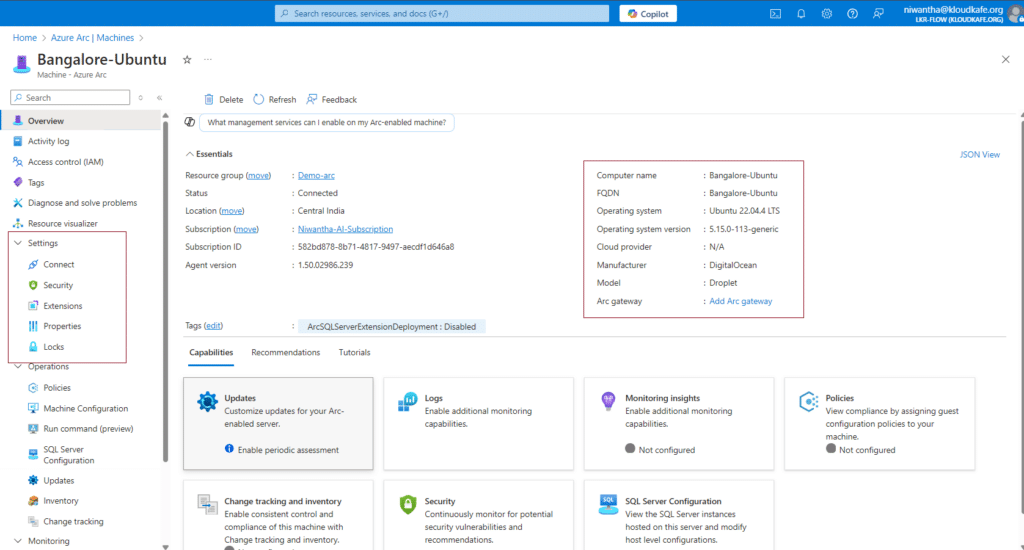
Now we can see our ubuntu server onboard to azure portal same as a native Azure Vm.
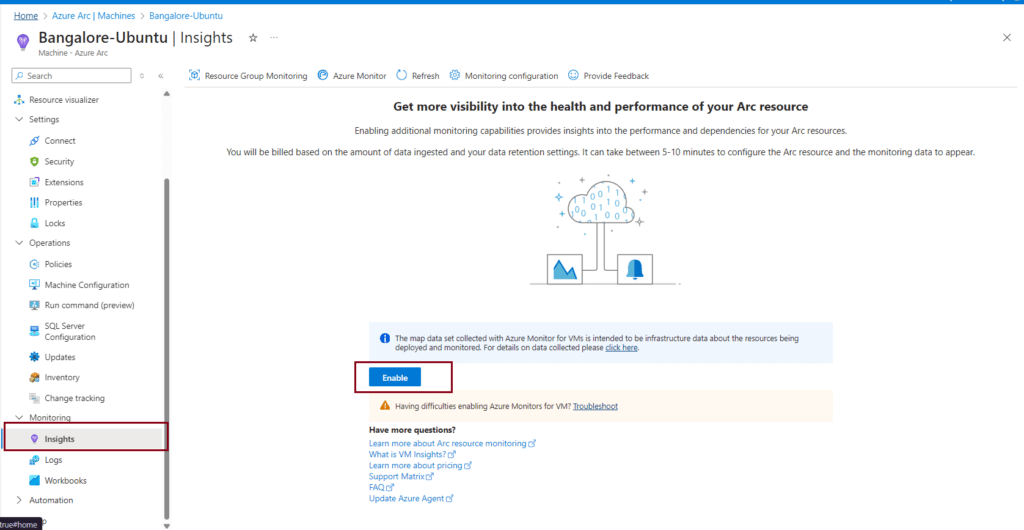
10. After the Enabling Insight we can see Server performance.
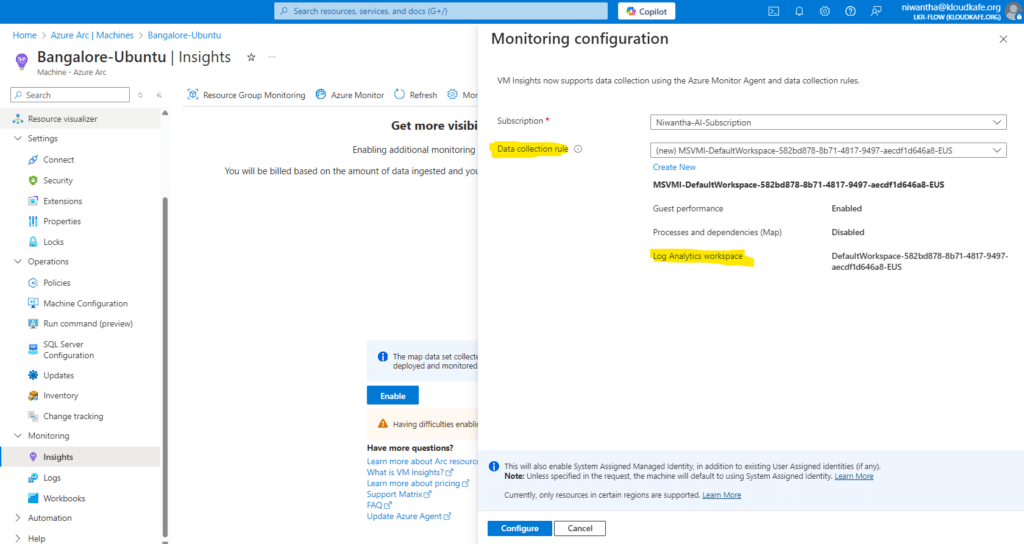
Note : While the enabling this insight enabling Data collection rule and Log analytics workspace will creating. In this process agent install on the server. Using
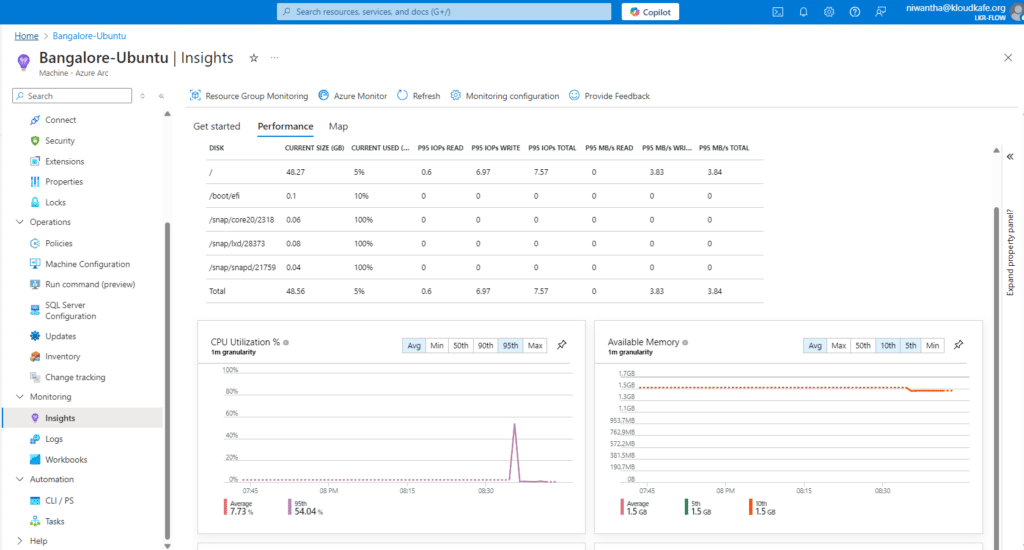
11. Now we can see server utilizations from azure portal
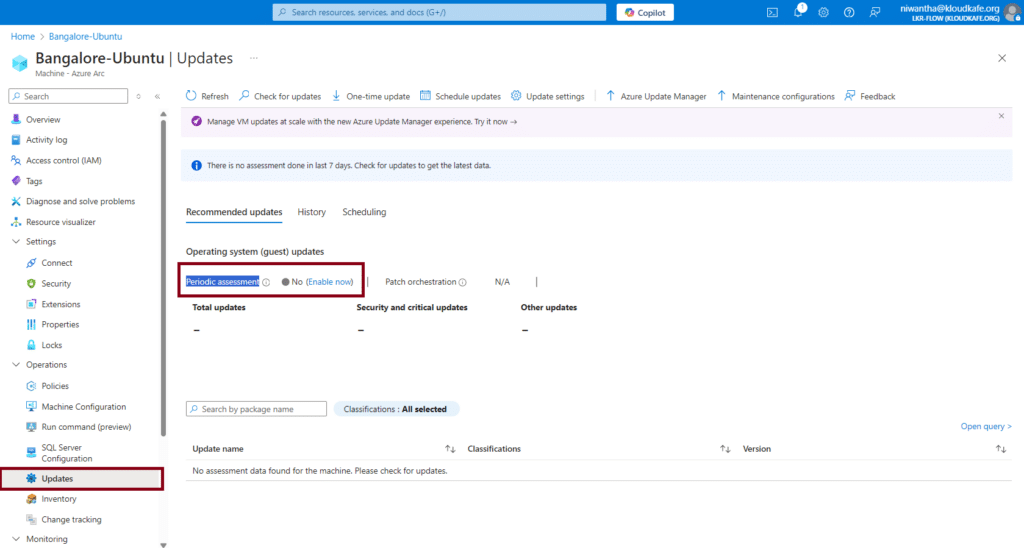
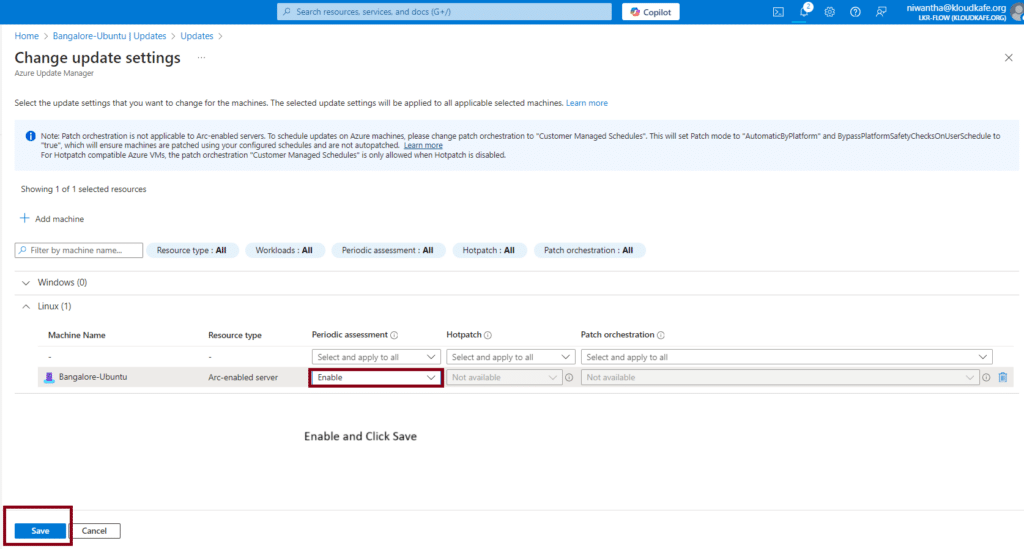
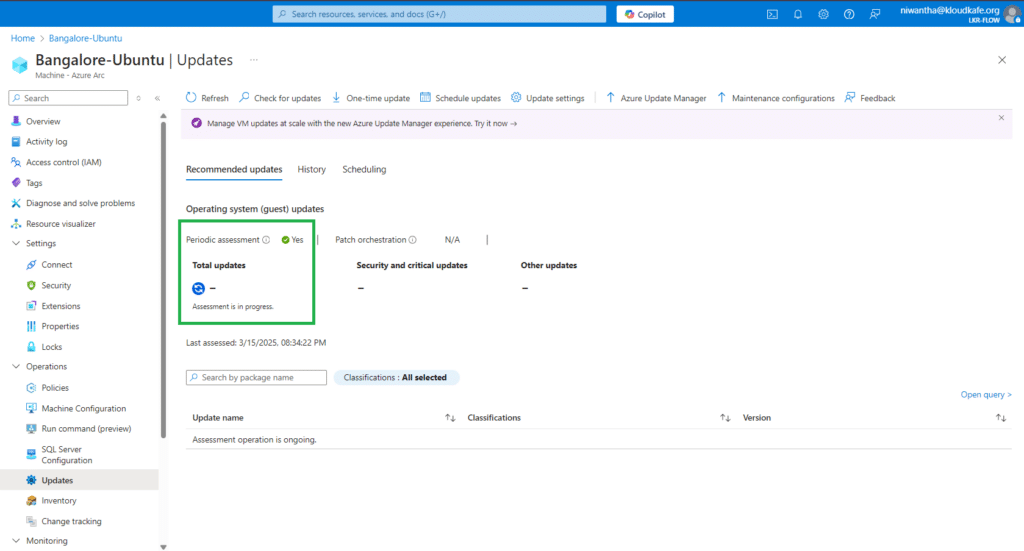
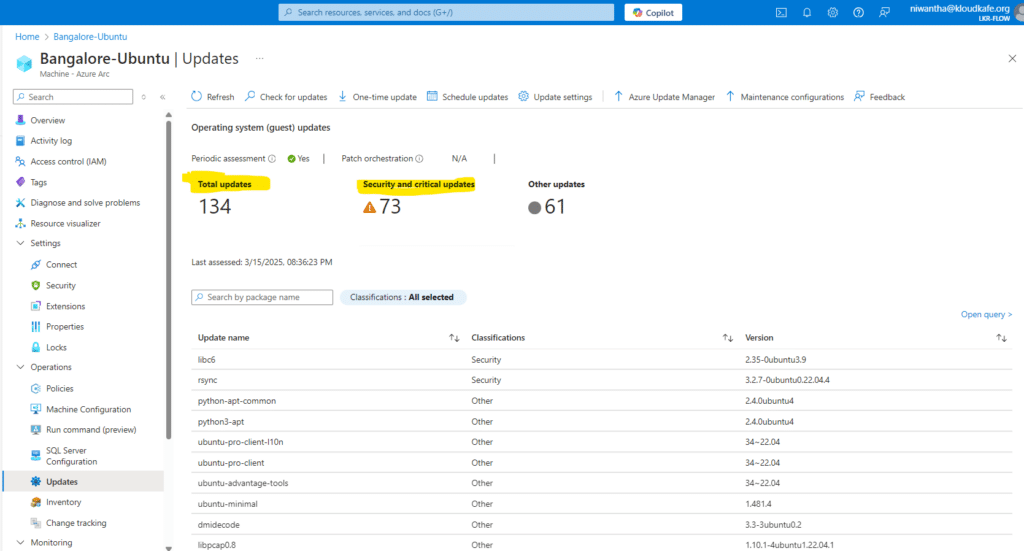
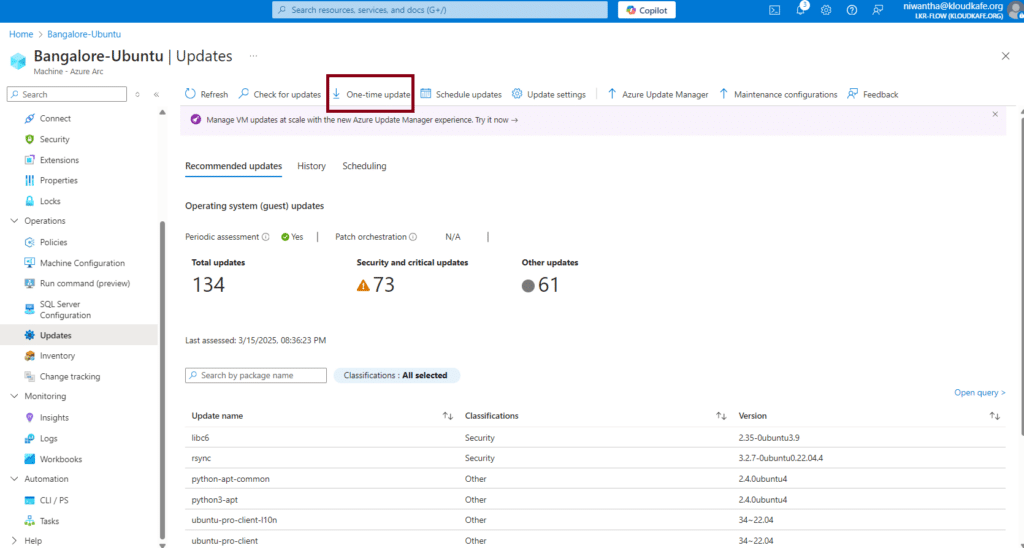
12. From the Update section, we can enable Periodic Assessment. If our server has any available updates, they will be listed here. We can then easily push those updates directly from this section without logging into the server.
13. Push Update from portal
Click One-time update
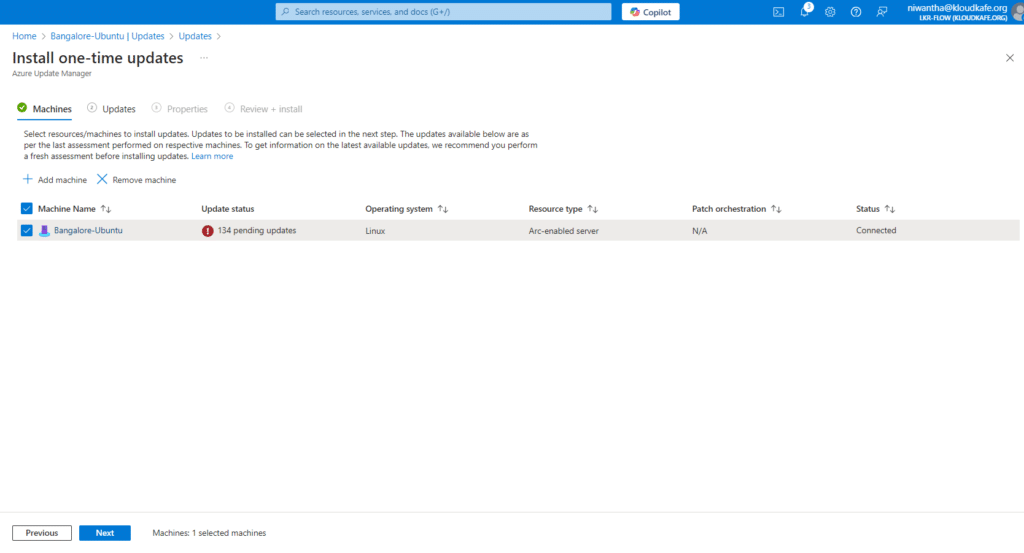
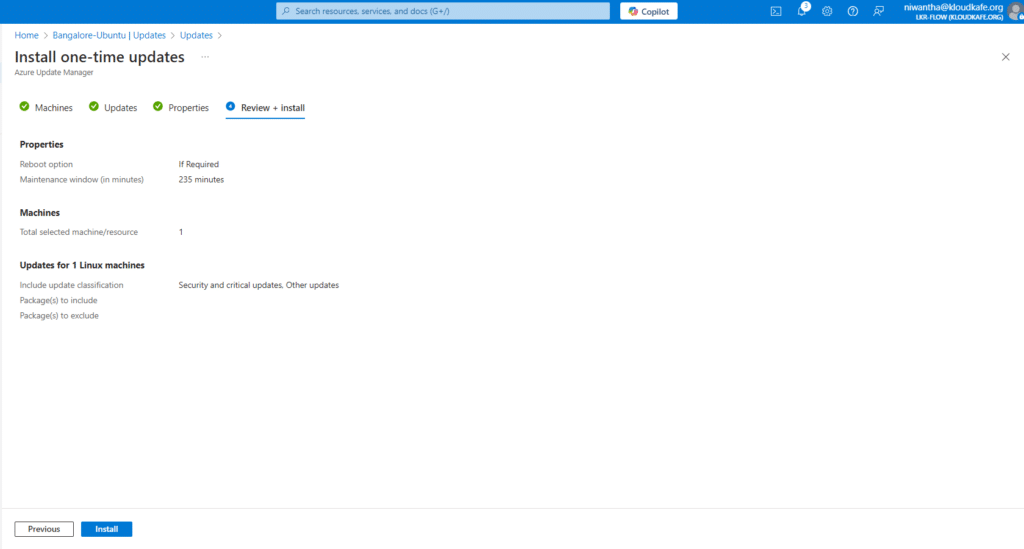
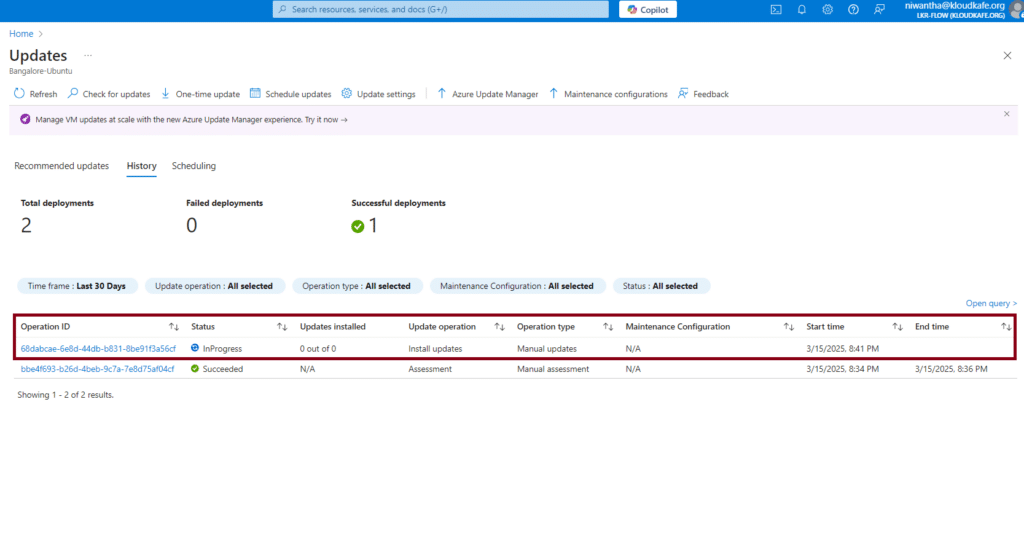
Now we can see new update is working.
Managing Kubernetes Clusters: Yes, Even Outside Azure
Here's where things get really interesting. Azure Arc Kubernetes lets you manage clusters anywhere – and I mean anywhere. Got a cluster in your garage? (Okay, maybe not literally, but you get the idea.)
The beauty is you can apply GitOps, deploy applications, and enforce policies just like you would with AKS. It's particularly sweet for organizations running Kubernetes in multiple locations. No more logging into different systems – everything's right there in your Azure portal.
The Data Services Game-Changer
Now, let's talk about Azure Arc data services. This is where my mind was properly blown. You can run Azure SQL Managed Instance and PostgreSQL Hyperscale on your own hardware. Think about that for a second – Azure database services, but wherever you want them.
Table: Azure Arc Supported Data Services
| Service | Where It Runs | Best For |
|---|---|---|
| Azure Arc SQL Server | On-premises, edge, multi-cloud | Existing SQL Server workloads needing Azure benefits |
| SQL Managed Instance | Anywhere with Kubernetes | Modern apps needing managed SQL |
| PostgreSQL Hyperscale | Kubernetes environments | Large-scale PostgreSQL deployments |
Security and Compliance: The Stuff That Keeps You Sleeping at Night
Let's be honest – security conversations usually make everyone want to take a nap. But stay with me here, because Azure Arc security configuration is actually pretty clever.
You're essentially extending Azure's security blanket over everything. Azure Security Center, Azure Sentinel, all those fancy tools? They work with your Arc-enabled resources. It's like having a security guard who knows every corner of your house, not just the front door.
Policy assignment steps are straightforward:
- Create your policy in Azure Policy
- Assign it to your Arc-enabled resources
- Watch as compliance magically happens across your hybrid environment
Monitoring: Because You Can't Fix What You Can't See
Azure Arc with Azure Monitor is like having X-ray vision for your infrastructure. You're collecting logs, metrics, and insights from everywhere, all flowing into one place.
The Azure Arc update management process deserves a special mention. Remember Windows Update on steroids? That's basically what you get. Schedule updates, track compliance, and manage patches across your entire fleet from one dashboard.
Real-World Scenarios: Where Arc Really Shines
Let me share some real-world Azure Arc examples that'll make this click:
Retail Chain Scenario: Imagine you're running IT for a retail chain. Stores have edge servers, there's a data center, and you're using Azure for e-commerce. Arc lets you manage store servers like they're in the cloud, push updates after hours, and maintain consistent security policies everywhere.
Manufacturing Magic: Got machinery running on Azure Arc for Linux workloads? Perfect. Monitor production systems, collect telemetry, and apply governance without touching the factory floor.
Troubleshooting: When Things Go Sideways
Look, stuff happens. Azure Arc troubleshooting common issues usually involves:
- Connectivity problems (check those firewalls!)
- Agent issues (restart usually helps)
- Permission headaches (it's always permissions, isn't it?)
Pro tip: The Azure Arc REST API usage can be your secret weapon for automation and custom troubleshooting scripts.
Best Practices That'll Save Your Sanity
After working with Arc for a while, here are my best practices for Azure Arc automation:
- Start small: Don't onboard 500 servers on day one. Trust me.
- Automate everything: Use ARM templates, Terraform, whatever floats your boat
- Tag religiously: Future-you will thank present-you
- Monitor first, manage second: Get visibility before making changes
The Money Talk: Understanding Costs
Let's address the elephant in the room – cost management for Azure Arc. Good news: Arc itself is free. You're paying for:
- Azure services you consume (like Monitor, Security Center)
- Data egress (minimal but worth watching)
- Any Azure services you deploy to Arc-enabled resources
Think of it as a pay-for-what-you-eat buffet, not an all-inclusive resort.
Wrapping It Up: Your Next Steps
So there you have it – Azure Arc in all its glory. It's not just another Microsoft product; it's genuinely changing how we think about hybrid and multi-cloud management.
Whether you're dealing with Azure Arc for VMware integration or just trying to get a handle on your scattered infrastructure, Arc brings everything together in a way that actually makes sense.
Your action plan:
- Pick a test server (not production, please!)
- Follow the onboarding steps above
- Play around with policies and monitoring
- Gradually expand your Arc footprint
Remember, the goal isn't to Arc-enable everything overnight. It's about bringing order to chaos, one server at a time. And trust me, once you see all your resources in that single Azure portal pane of glass, you'll wonder how you ever lived without it.
Got questions? Diving into your first Arc deployment? The community's pretty awesome, and Microsoft's documentation (for once) is actually helpful.
Now go forth and Arc-enable those servers. Your future self will high-five you for it!
Ready to transform your hybrid cloud management? Start your Azure Arc journey today and discover why IT teams everywhere are making the switch. Because managing infrastructure shouldn't feel like herding cats – it should feel like conducting a symphony.




No comments yet. Be the first to share your thoughts!